Case studies / 01
Recruitment platform: experience review and opportunities
- Client
- Pixid
- Product
- Vendor Management System — SaaS, web + mobile
- Duration
- 4 weeks — Discovery + Framing
- Focus
- Requests & orders · design system
# The customer
For almost 20 years, Pixid’s Vendor Management System has connected companies with workers — from hiring to contracts, timesheets and more.
Started in the French market and now expanding into new countries, Pixid offers SaaS solutions to large accounts and SMBs, with more than 4,000 customers using it daily.
A previous engagement on platform modernization surfaced opportunities to research the platform from a user perspective and find areas to improve — and to expose the client to a more design-focused process and modern software development practices.

# The product
The platform covers a fairly complete journey of recruitment, talent acquisition and resource management — from discovering resources to contracts, payslips and billing.
Given how broad the offering is, at kickoff we picked the area where stakeholders had already seen the most business criticality: creating and managing Requests and Orders, keeping in mind what happens earlier in the journey (resource search, talent pools). A secondary, nice-to-have goal: a more consistent, better-looking UI, with an introduction to design systems and library management.
# The problem
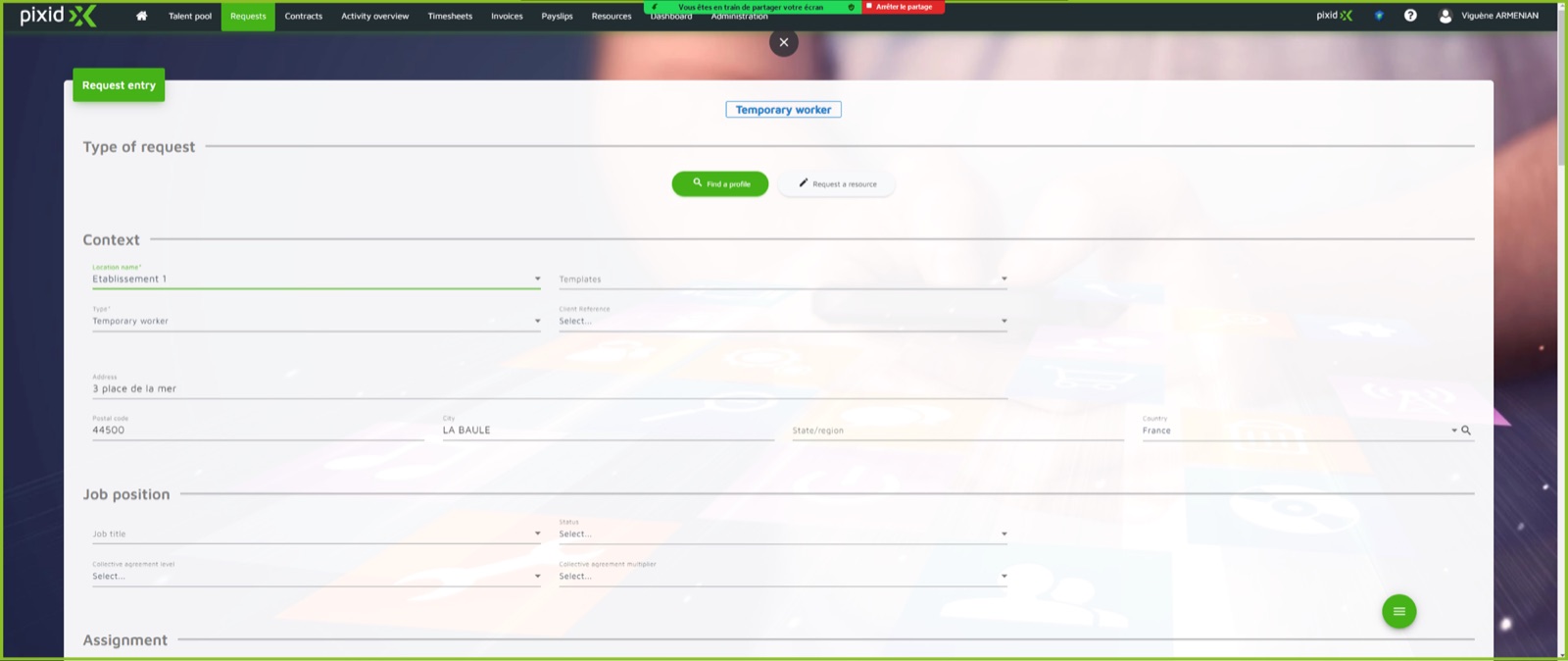
Request / order creation
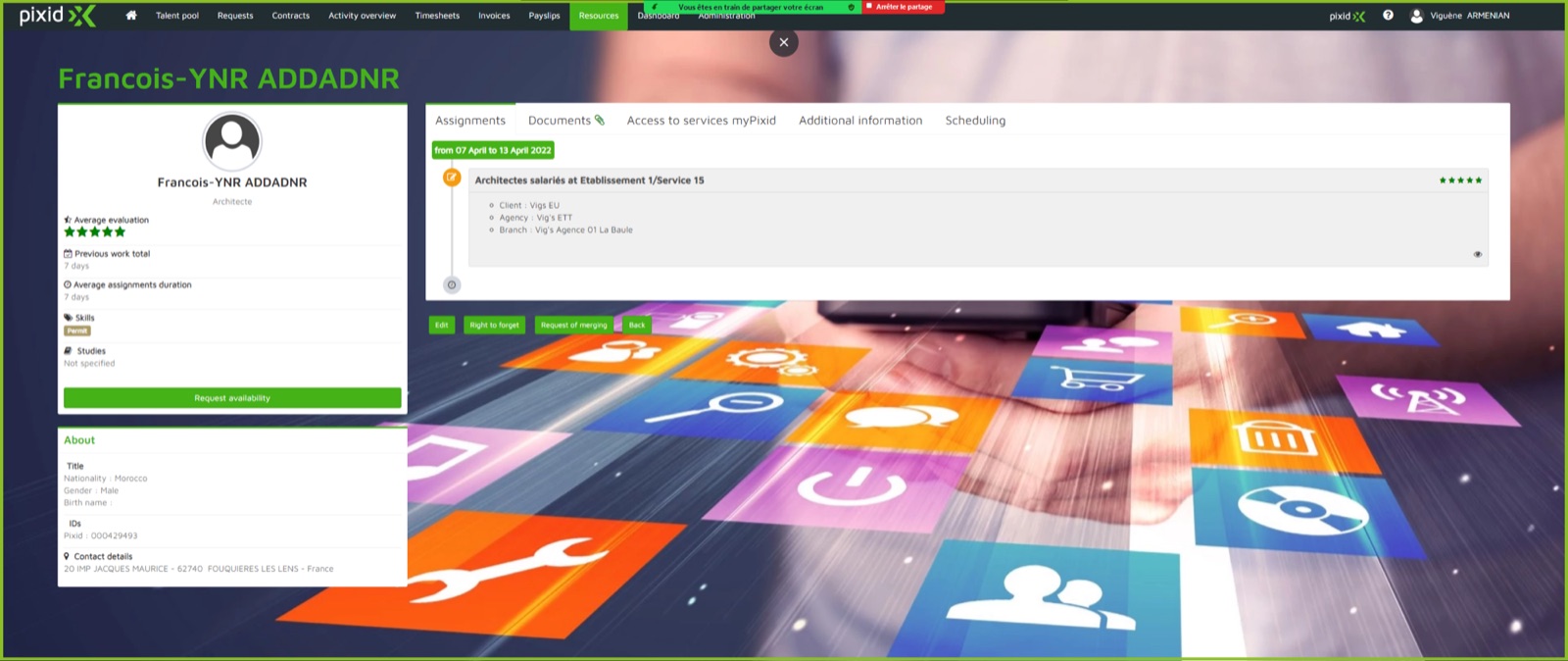
- The form is too complex, with lots of fields to fill in
- It takes an administrative perspective and ignores more operational roles
- (Partly related) The talent pool — meant to replace or combine with requests / orders — is live but barely used
# The approach
- Problem discovery with operational / HR managers and suppliers, to pick the top problems to tackle
- Experiments and draft solutions, evaluated again with the right personas
- A design system with specific recommendations on the visual treatment of components and modules, based on the current library (web and native mobile)
Business
Increase revenue and win new business for clients.
Product
A less cumbersome process; a system that is easy to use and intuitive.
Engagement
Learn UX research and modern design principles; integrate UX and UI in the process.
Discover · weeks 1–2
- Define personas, research setup & preparation
- Assumptions, user interviews
- Discovery synthesis, prioritized problems
Interviews: 4 suppliers · 8 clients
Validate · weeks 3–4
- Proposals validated through user interviews
- 3 concepts: operational, supplier, worker
- Detailed design, validation synthesis, outception
- Side activities: design system, request / order redesign
Validation: 3 suppliers · 4 clients
# Users
Clients (operational / HR manager)
Jobs to be done: send and manage requests for temporary workers, understand which profiles to hire, validate the resources proposed by suppliers.
- Requests are always urgent
- Suppliers take too long to respond
- Most actions are redundant; too much information to manage
- Only a few fields are needed at creation: position, location, salary

Suppliers
Jobs to be done: receive requests, find the right candidate, check documents and certificates, add the candidate to the platform and propose them.
- Tracking requests and “pushing” for confirmation
- Getting as many candidates as possible into the system
- Automating synchronization between systems
- A smart, quick way to identify candidates

# Discovery synthesis
Suppliers
- ValidatedEven a couple of days for a response is too much
- ValidatedWorkers are added when there’s a request
- ValidatedAvailability is managed outside Pixid
- InvalidatedManaging requests doesn’t concern them
- InvalidatedThey check availability outside Pixid rather than being encouraged to update it
- InvalidatedTheir only concern is adding the same resource twice
(Operational) clients
- ValidatedApart from specific cases, everything they need is in the platform
- Partly validatedA shared talent pool has value — if they would use requests
- InvalidatedNo specific concerns about creating requests / orders
- InvalidatedA shared talent pool with suppliers’ info (especially availability) makes more sense
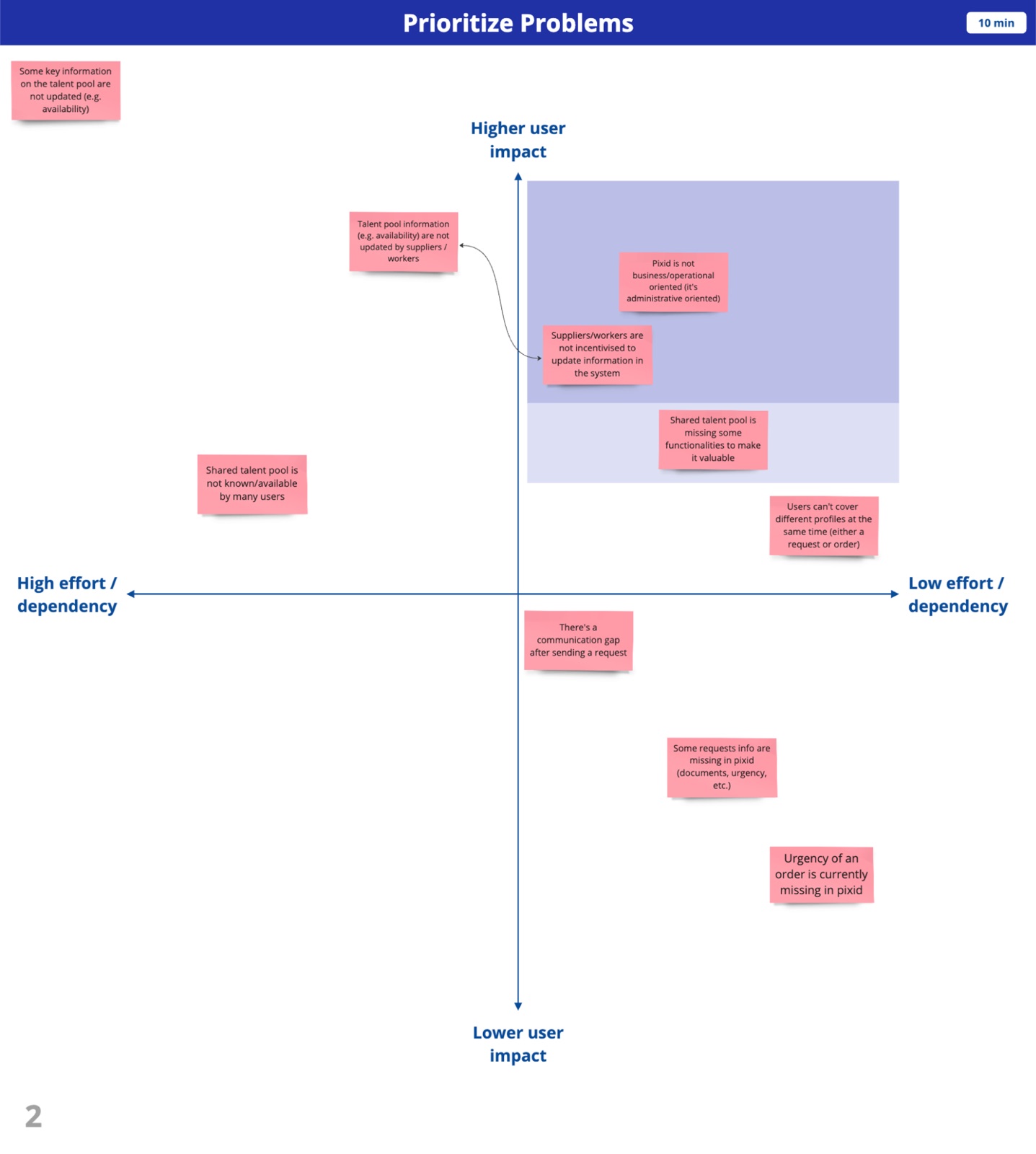
Prioritized problems
- 1. Pixid is administratively, not business / operationally, oriented
- 2. Suppliers / workers have no incentive to update information in the system
- 3. The shared talent pool lacks functionality to be valuable — deprioritized: broader, and dependent on problem 2
# Ideation
Clients
How might we make Pixid more business / operationally oriented?
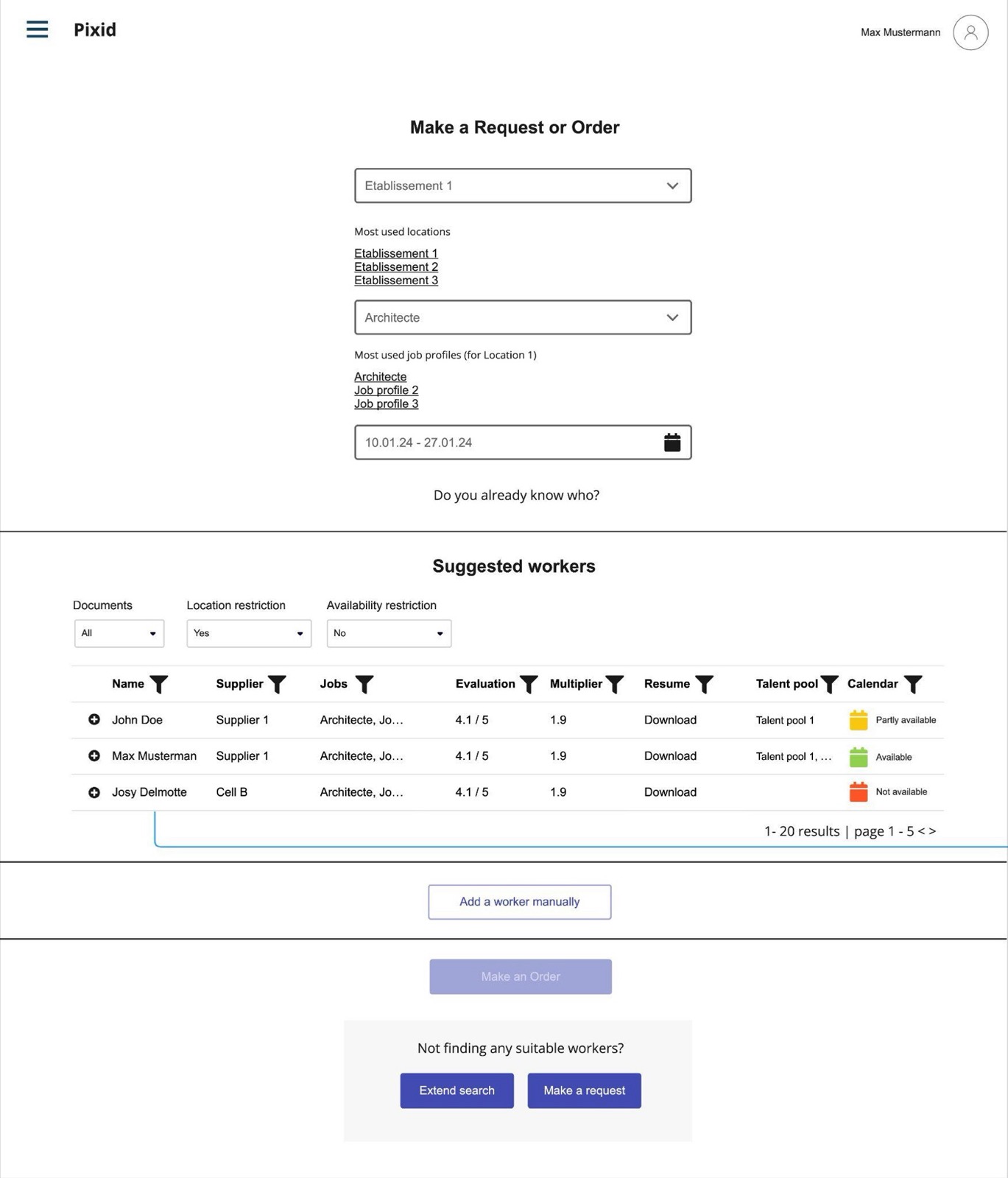
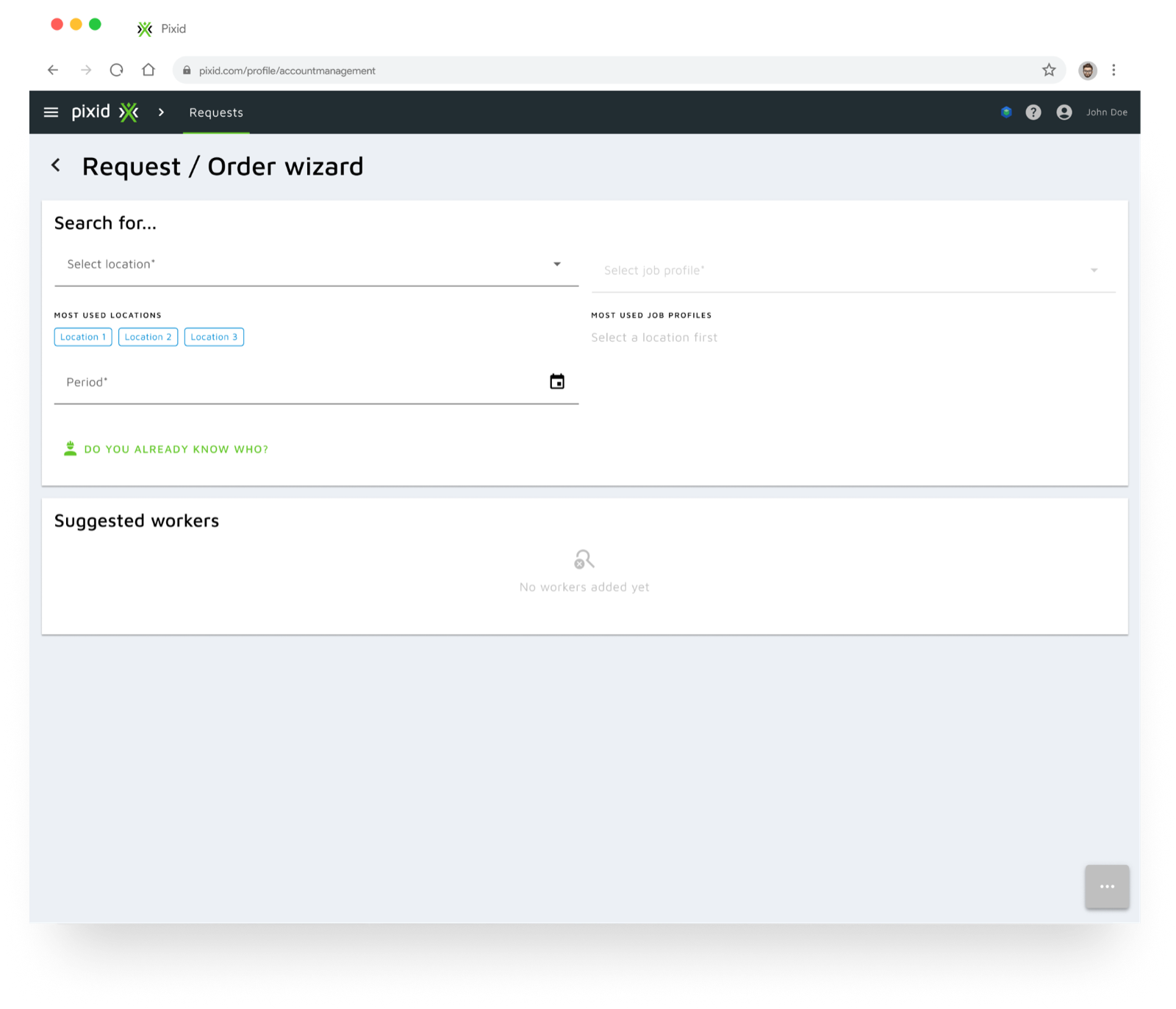
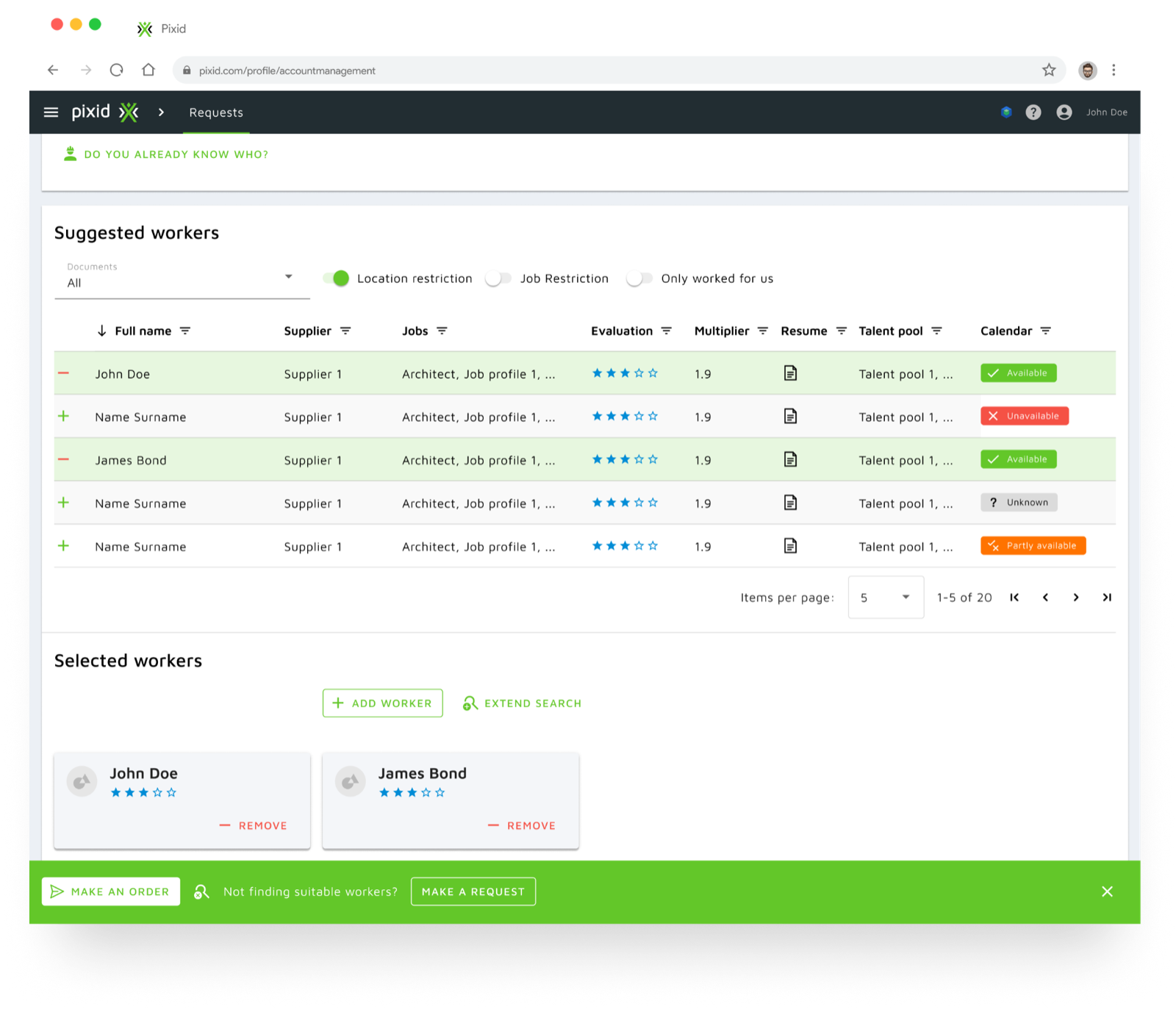
A wizard to create requests or orders quickly, with suggested resources based on availability, talent pool and more.
Suppliers & workers
How might we incentivise suppliers / workers to keep Pixid up to date?
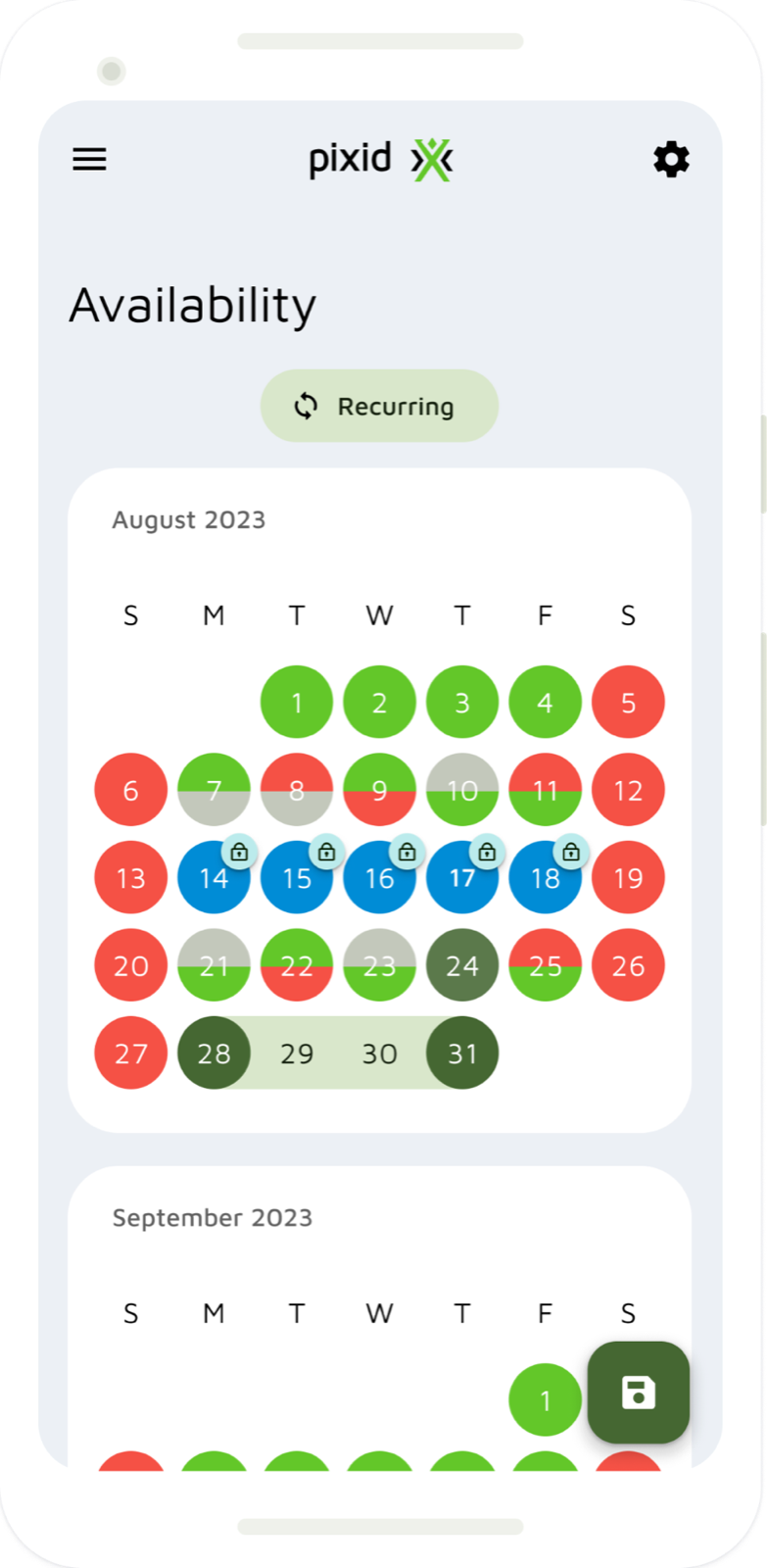
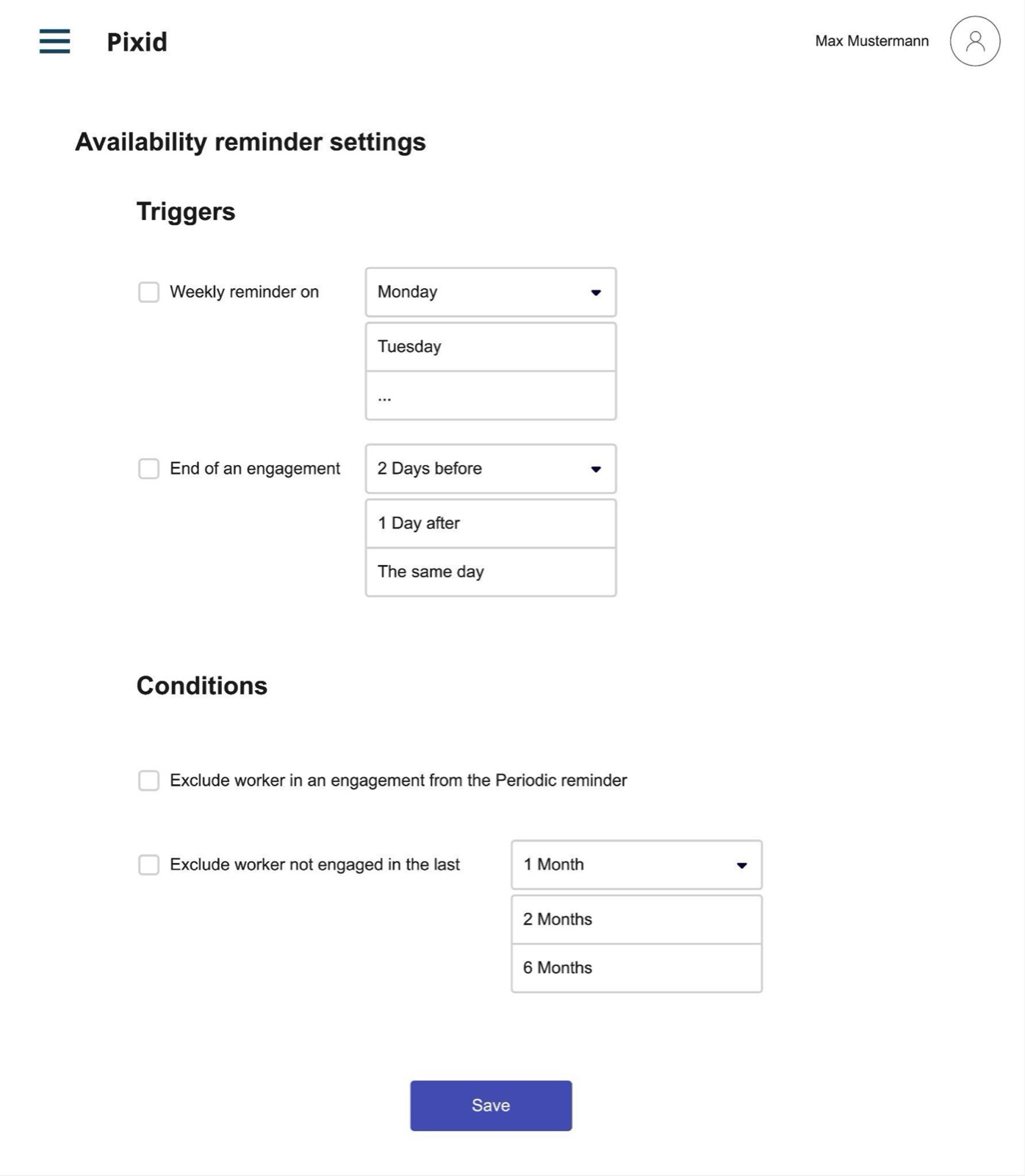
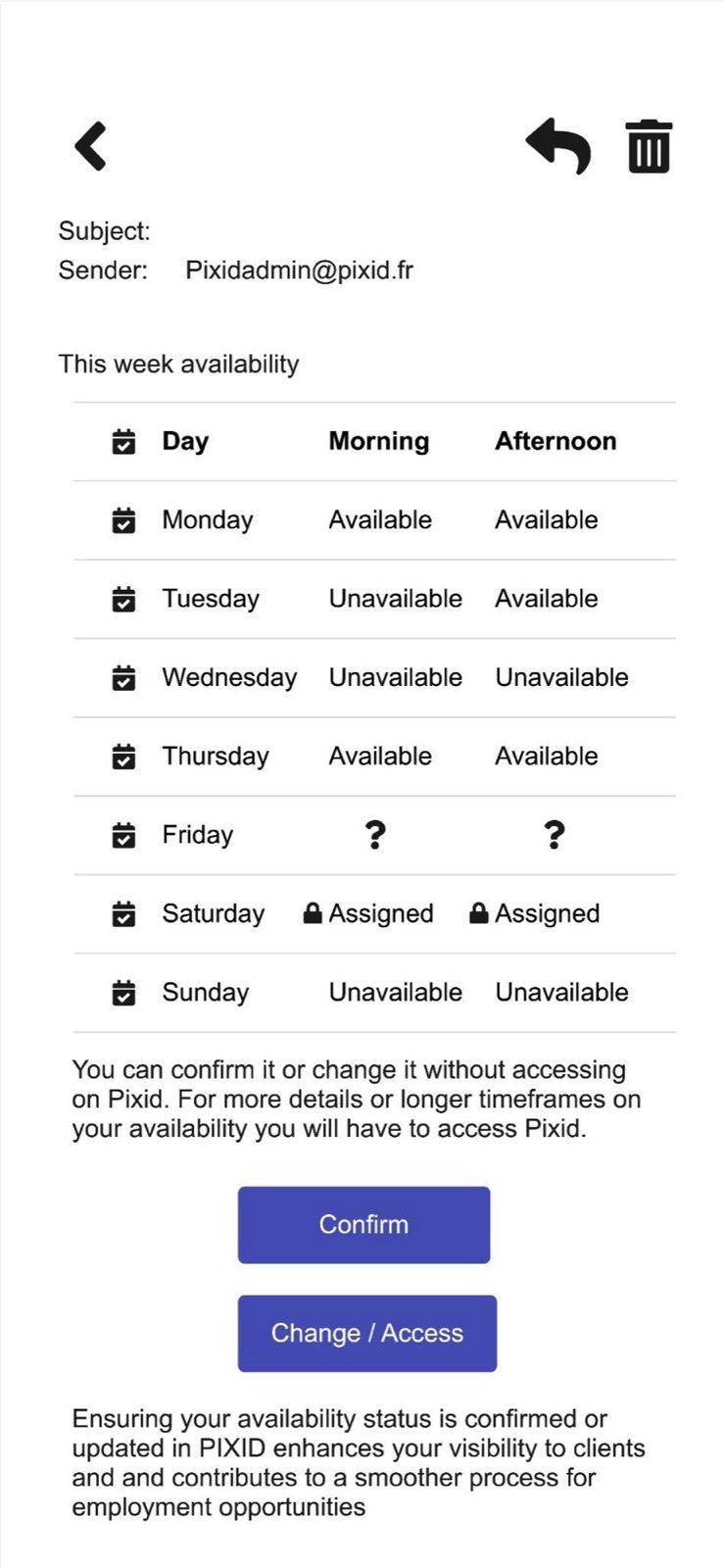
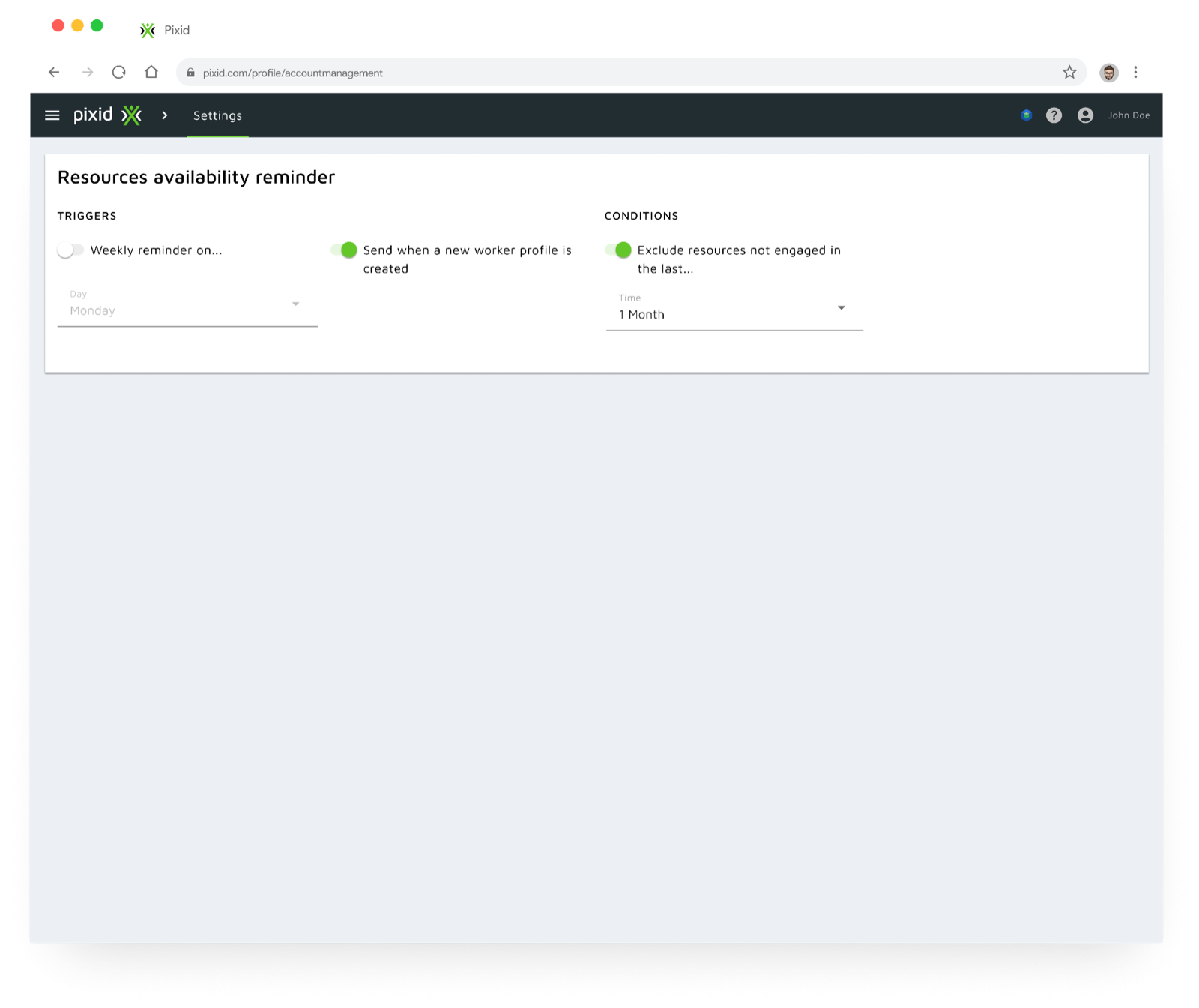
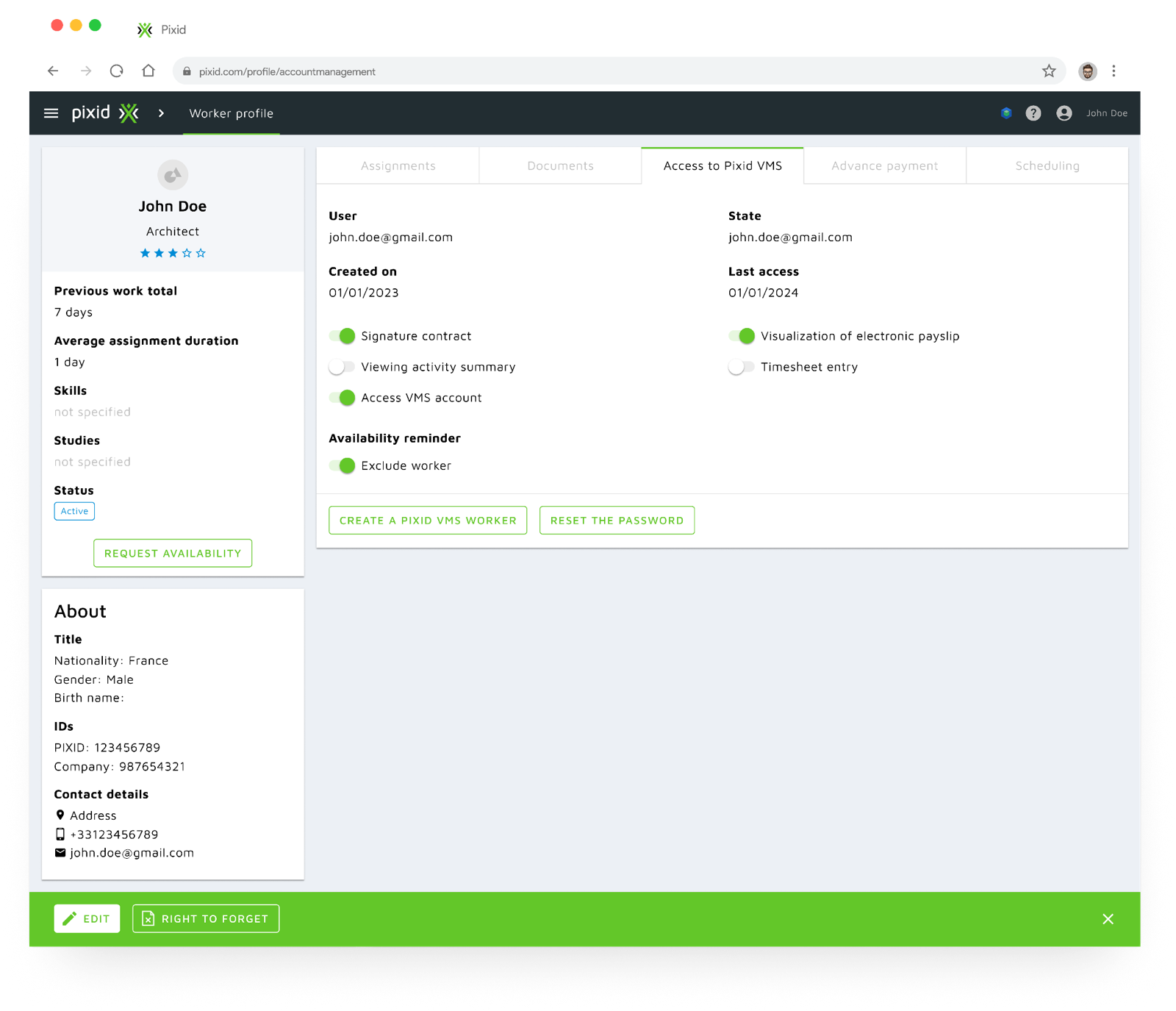
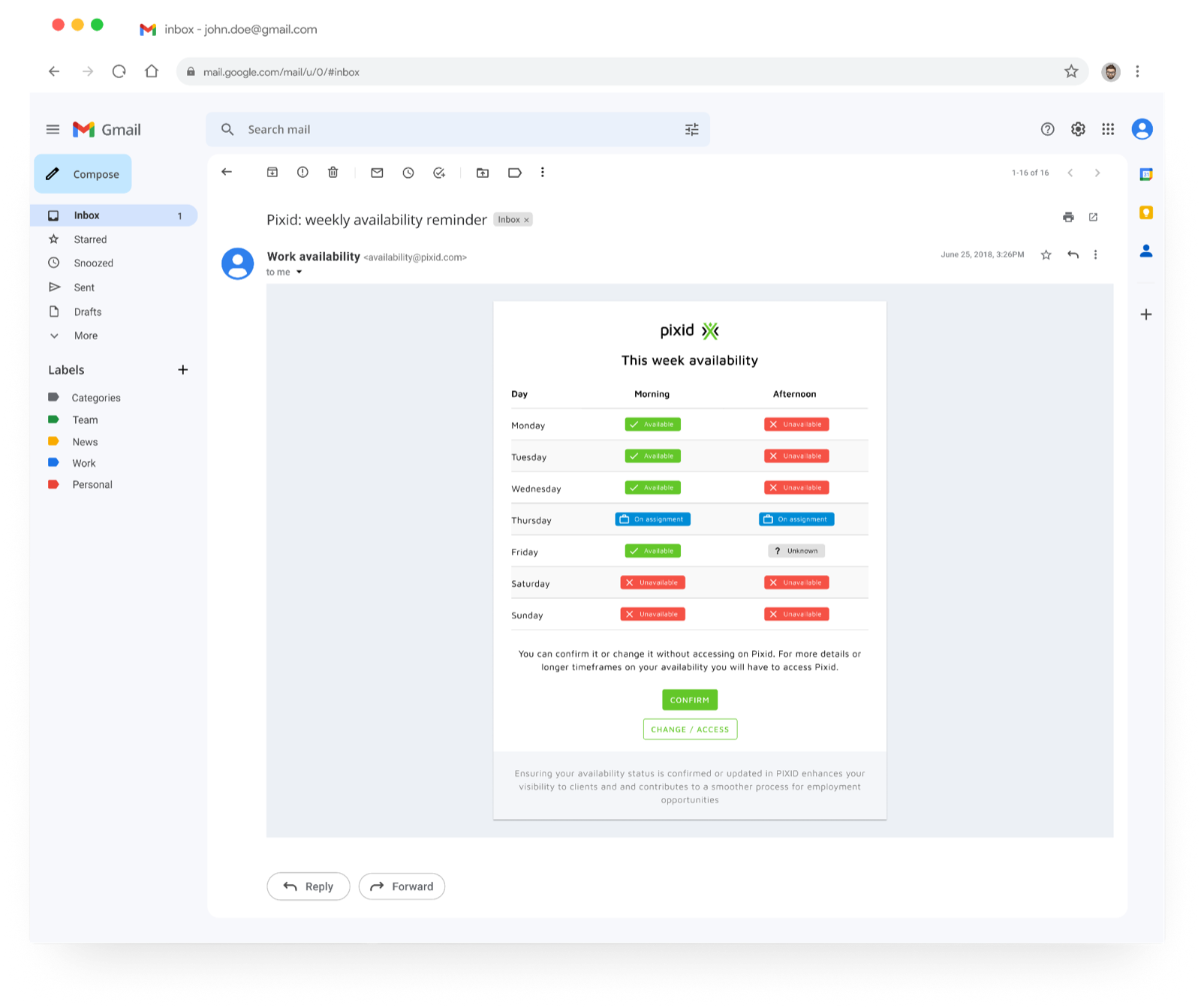
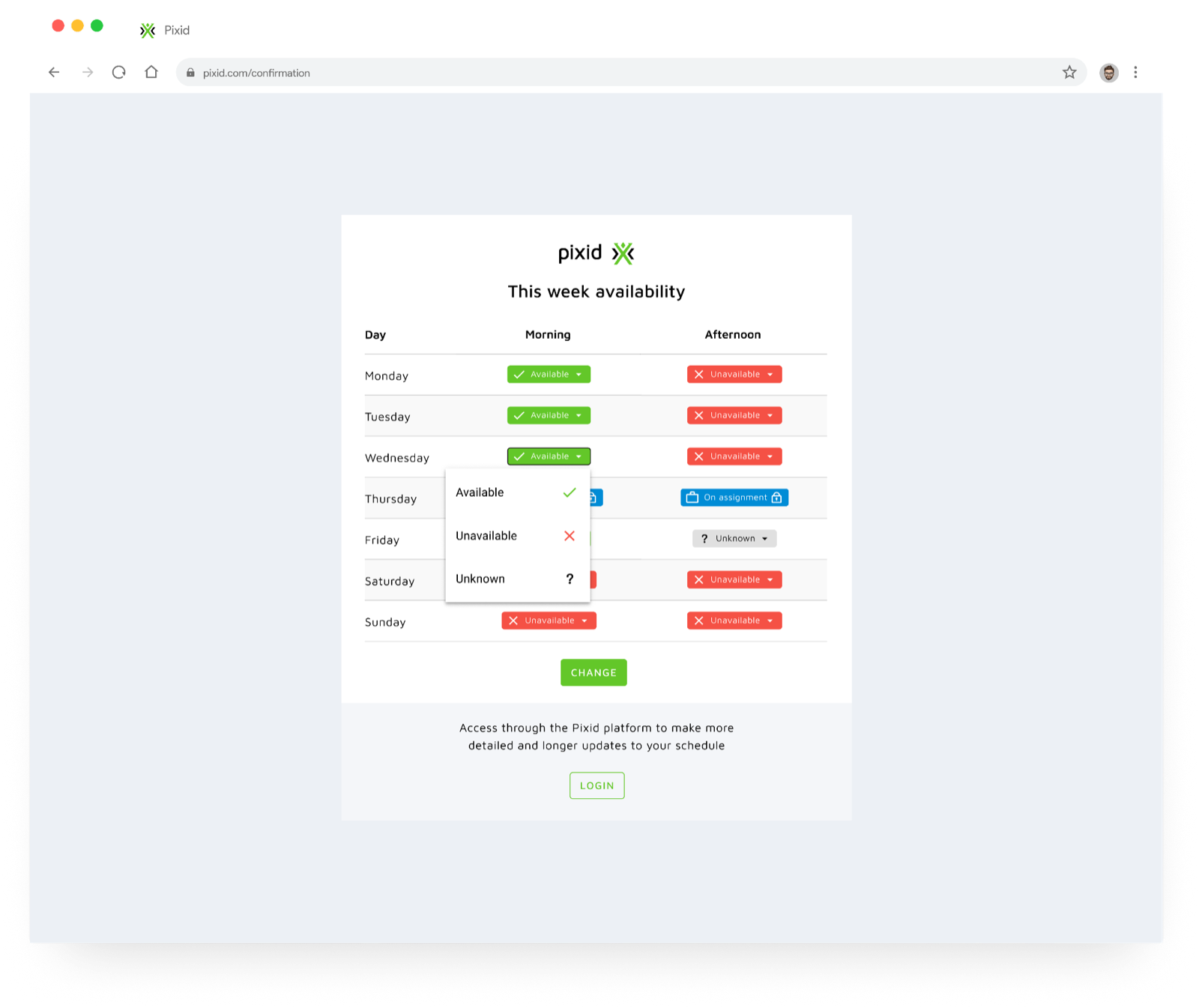
An availability reminder: suppliers set the cadence; workers get a weekly overview of their availability and confirm or change it in a tap — even without logging in.
# Validation
Suppliers · availability reminder
Confirmed
- Availability lives outside Pixid (calls, suppliers’ own systems)
- It’s confirmed when a request arrives, not before
- A check-in could work if it’s low effort for workers
Discovered
- How often availability changes depends on the job profile — weekly is good enough for now
- Keep notification triggers to a minimum to avoid spamming workers
Clients · wizard
3/4 see value in the solution — 2/4 only if their internal process changed too.
# Solutions
Request / order wizard
For operational clients — tackling problem 1. Search, get suggested workers, select and send.
Availability reminder
For suppliers and workers — tackling problem 2. Suppliers configure the reminder; workers confirm their week straight from an email.
# Side activities
Design system
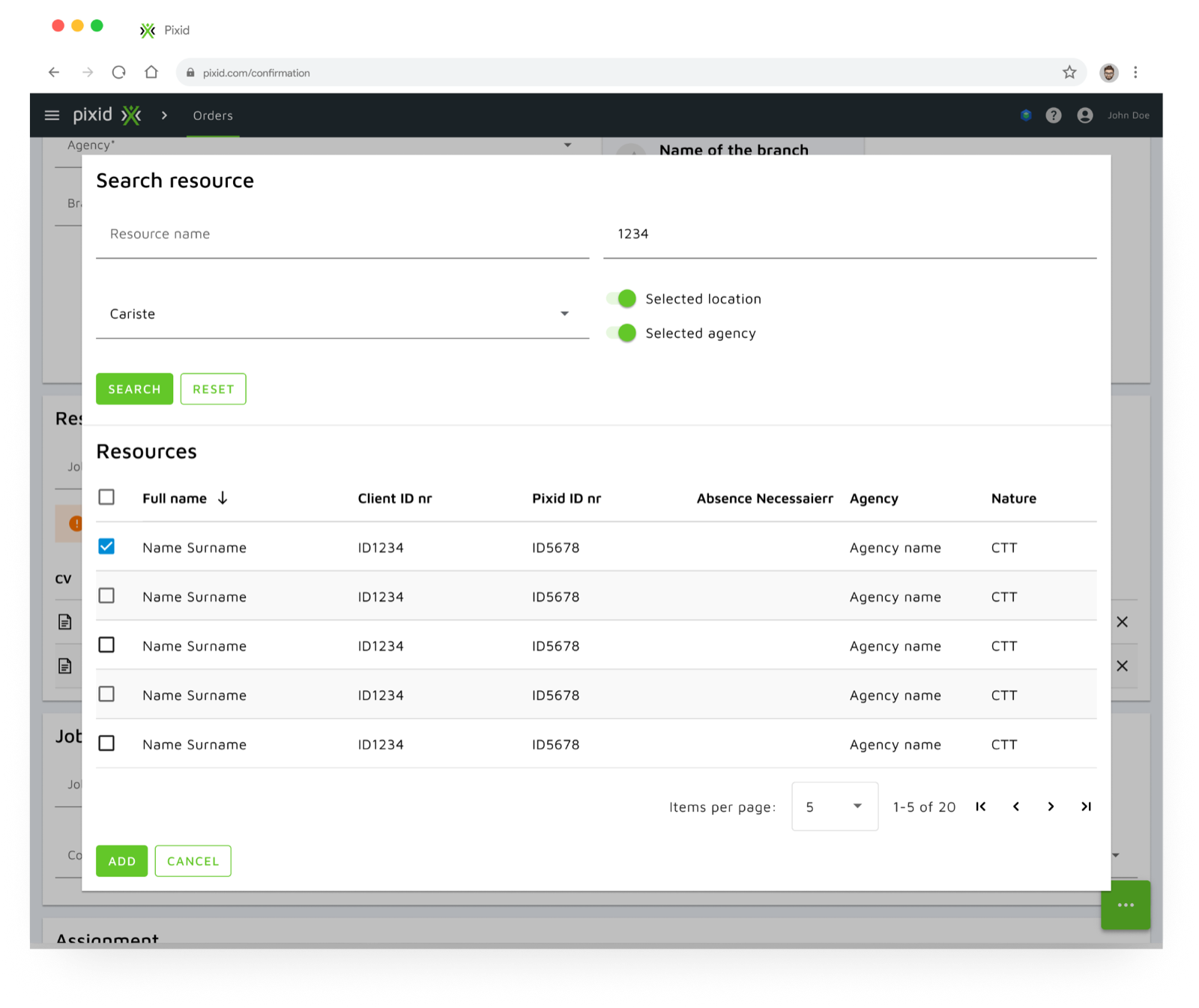
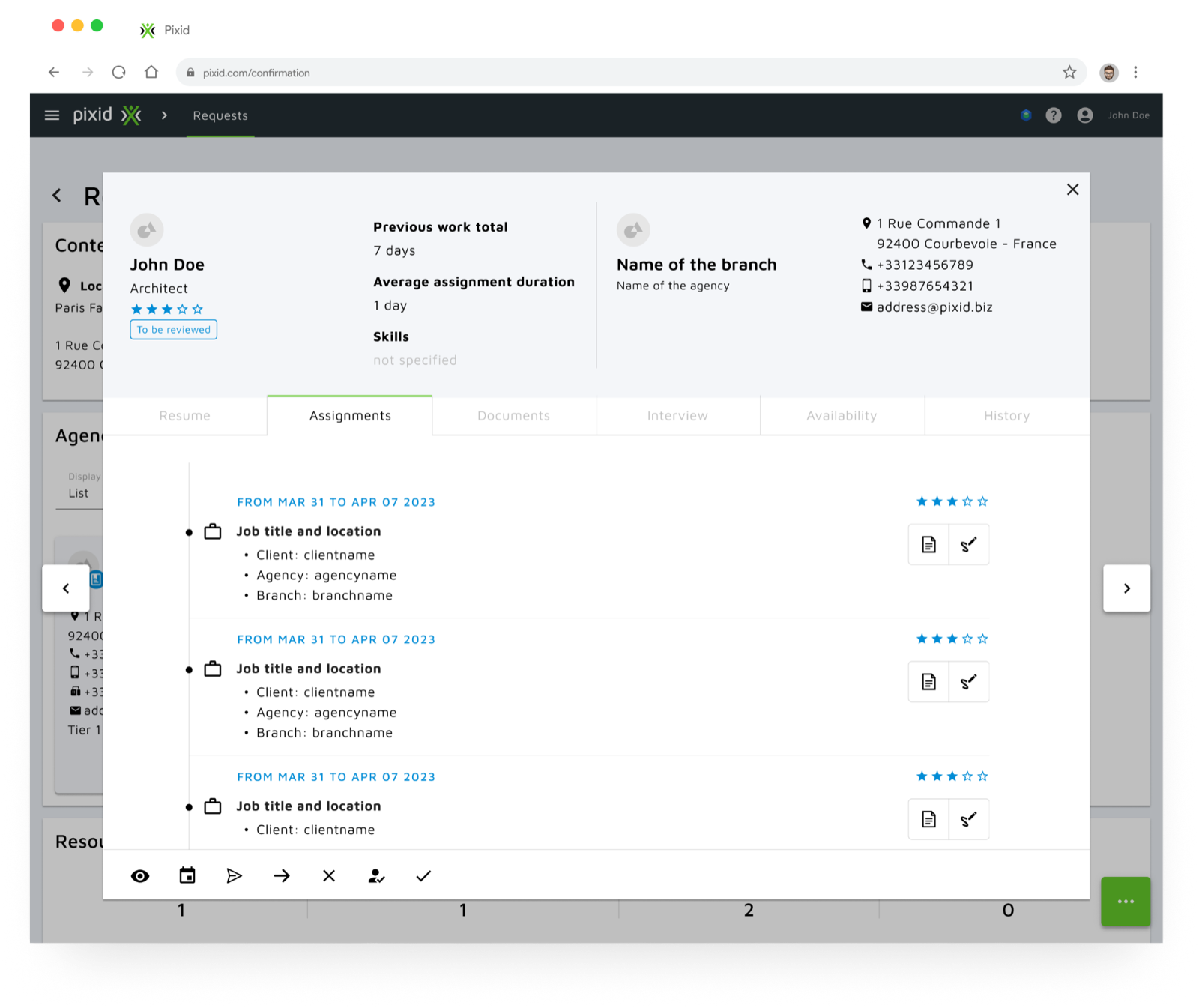
Pixid’s UI runs on Material Design for Angular (v16). We found inconsistent component usage and a lot of unnecessary customization, and adapted typography and colour palette to the Pixid guidelines.
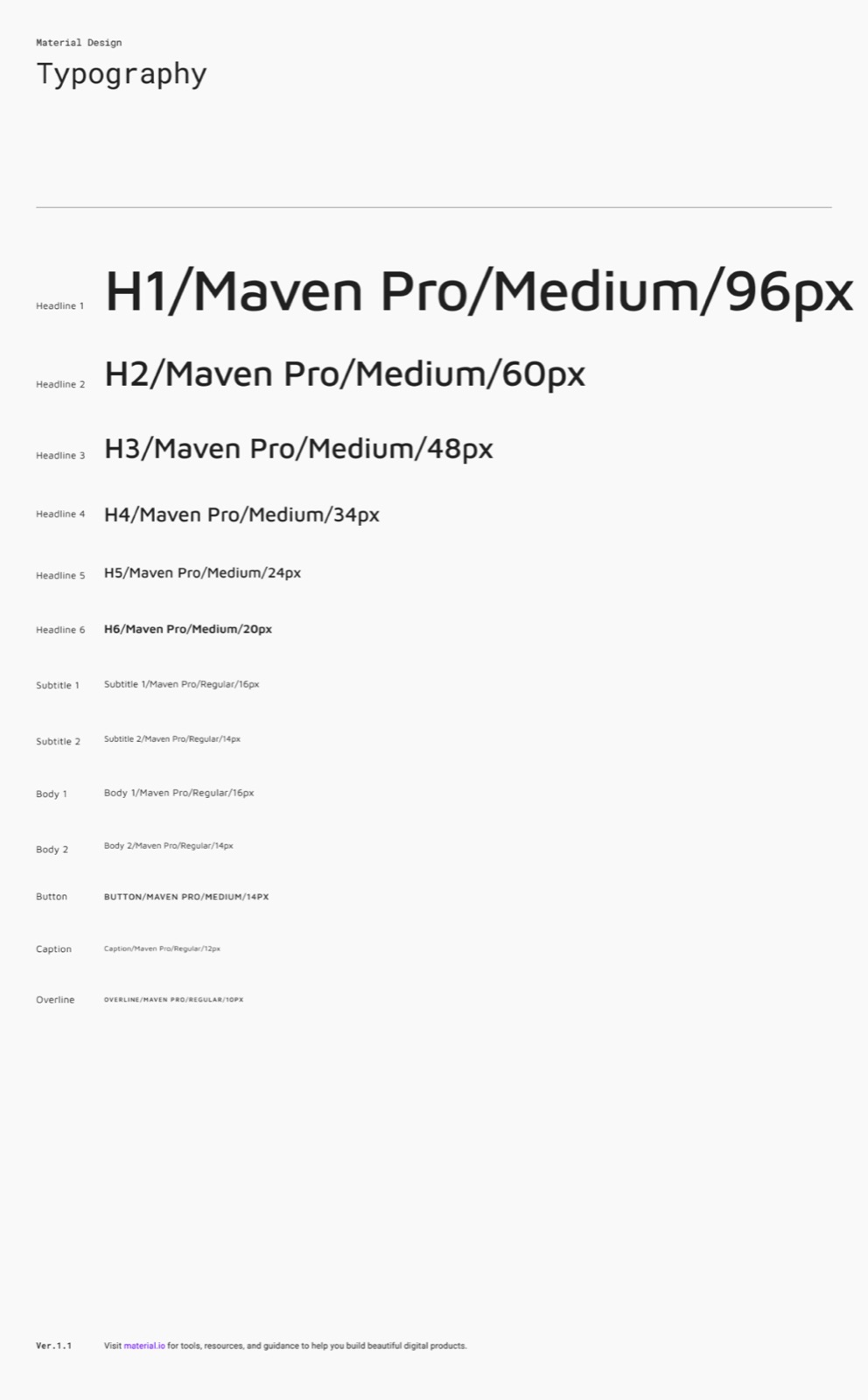
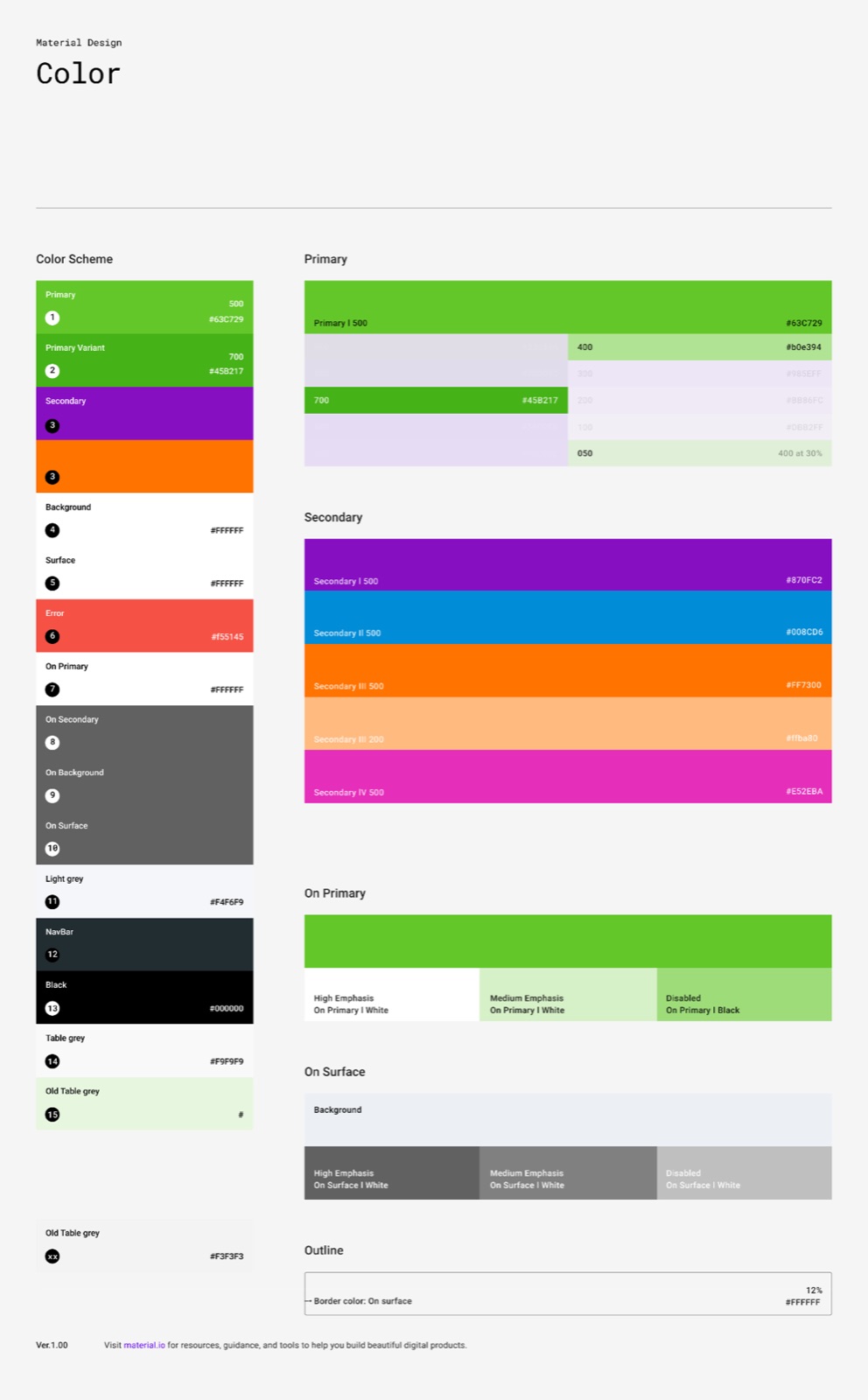
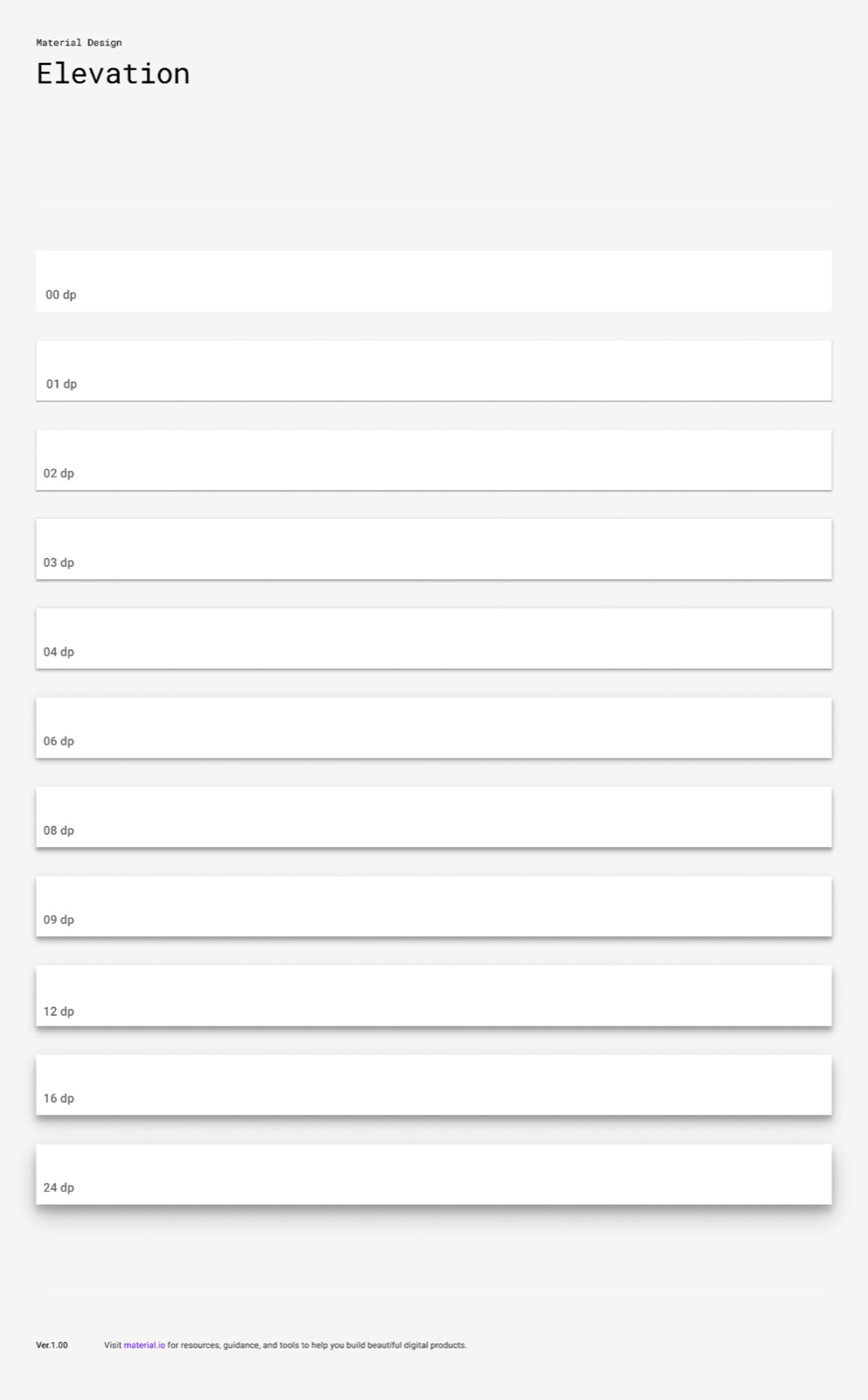
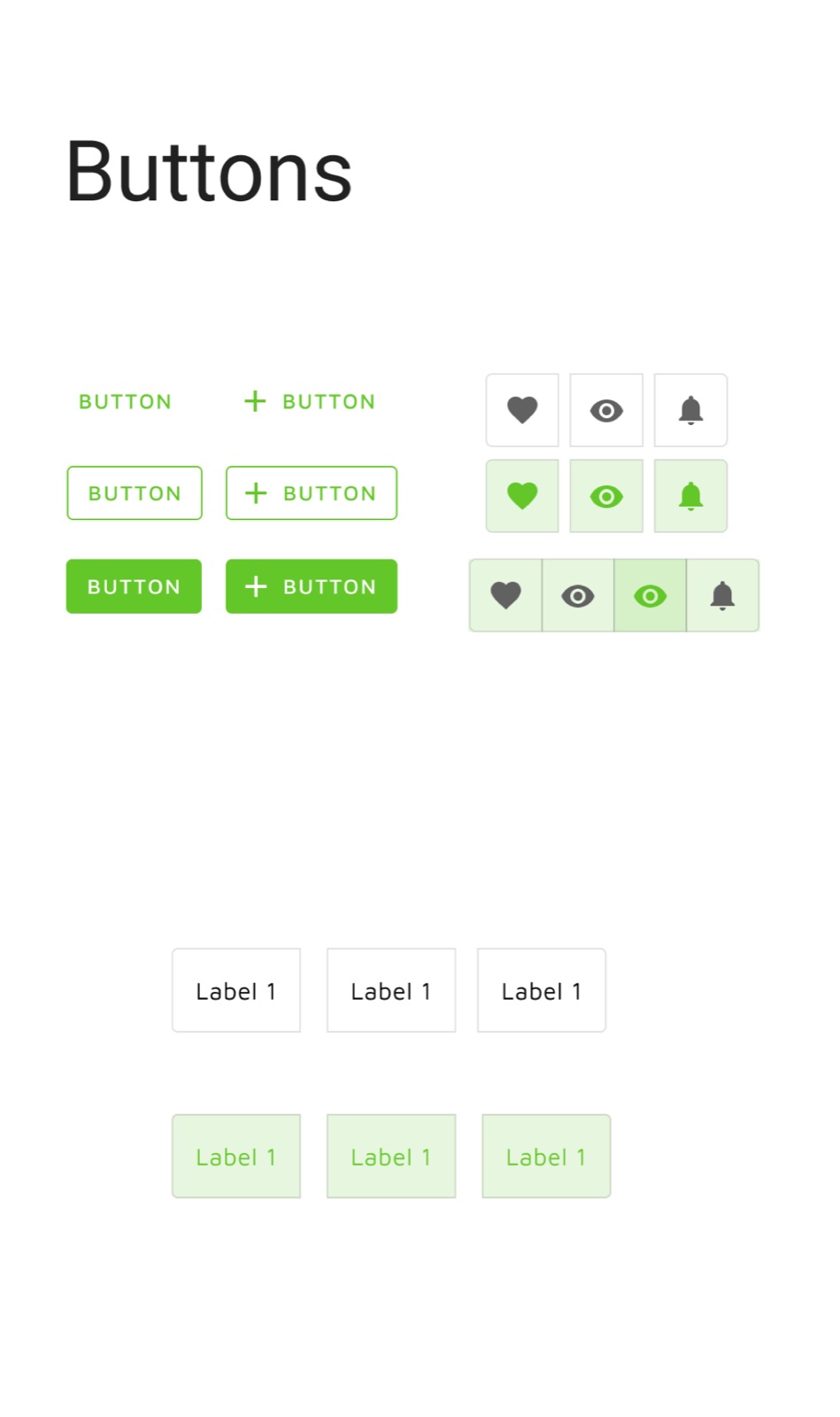
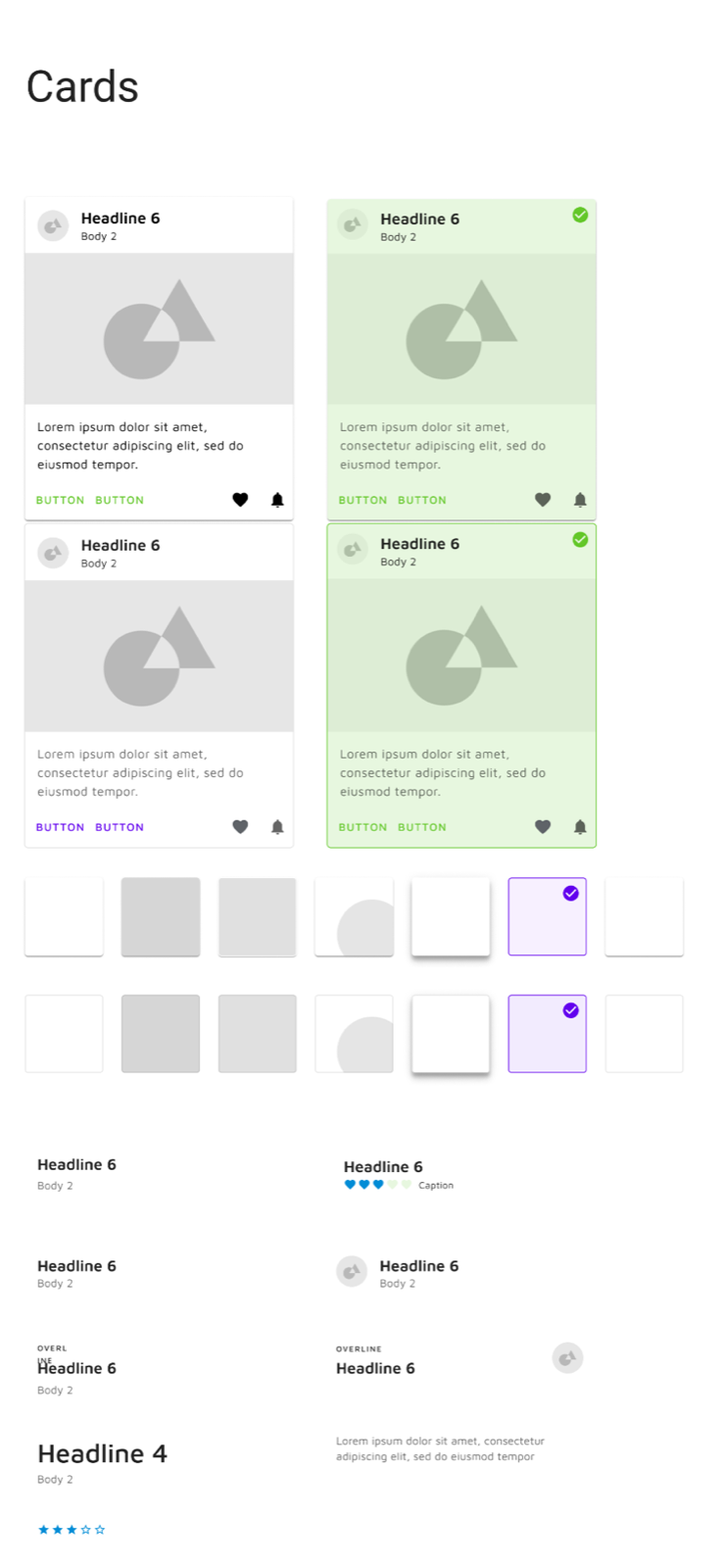
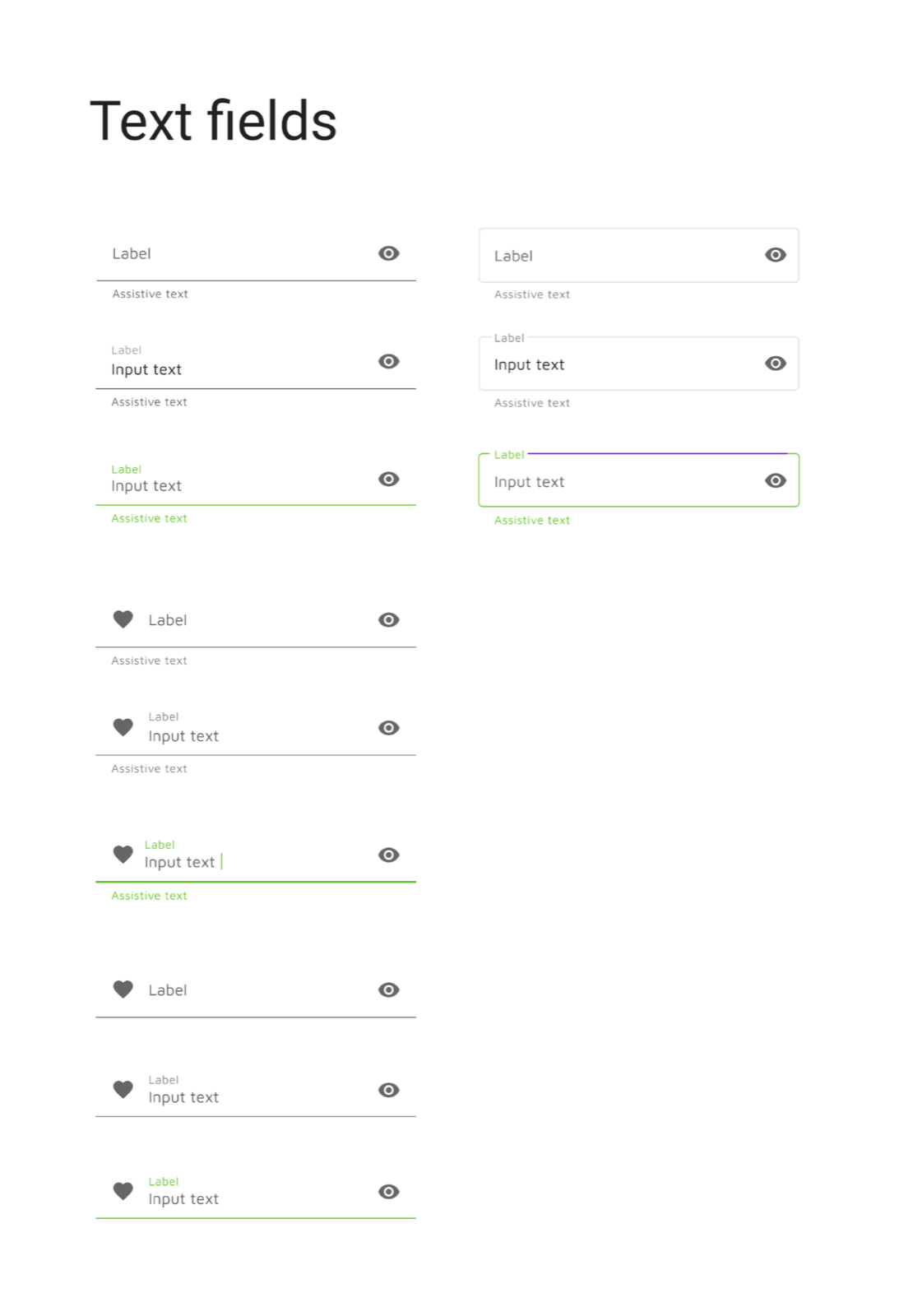
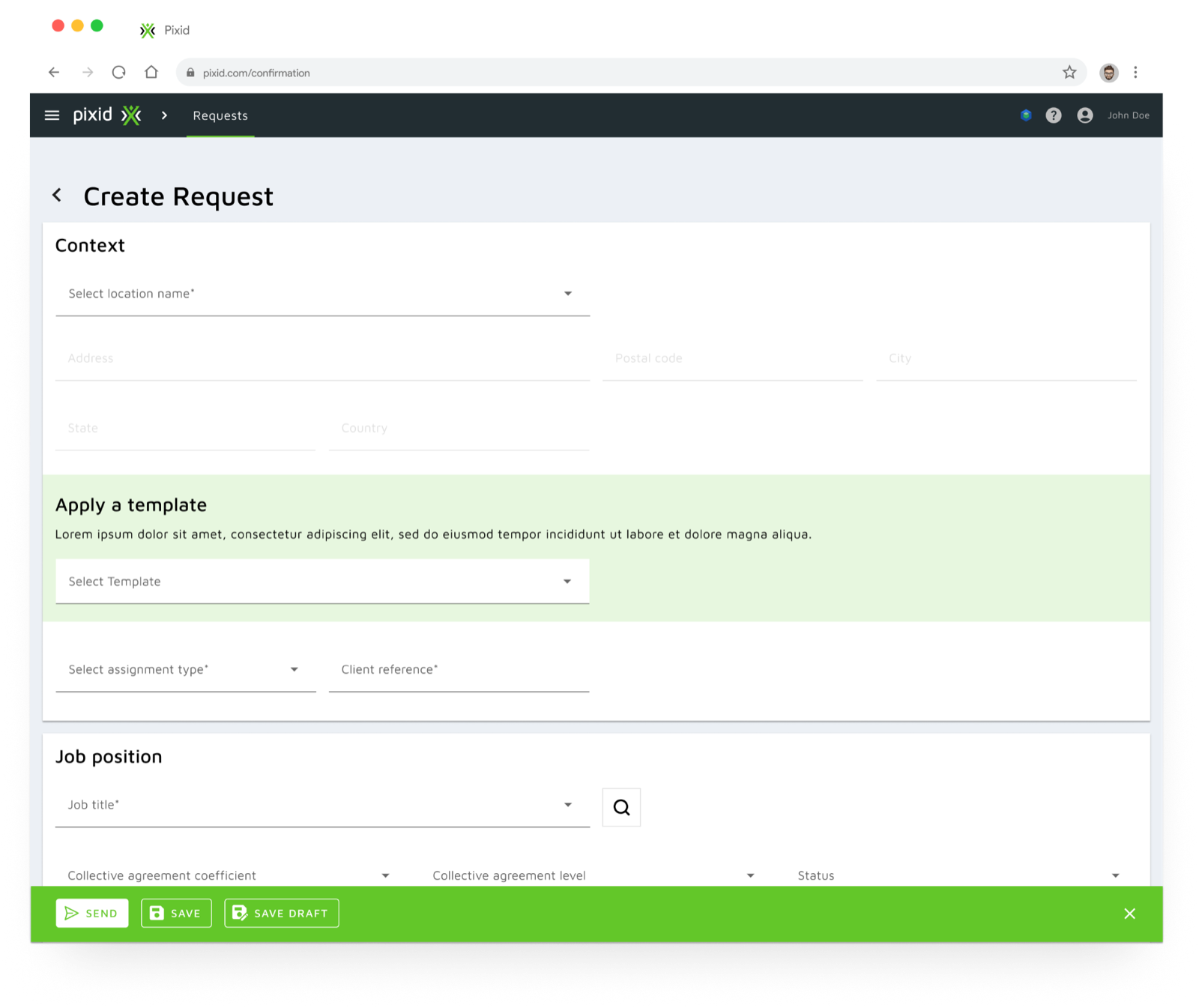
We used the idle time between interviews to apply the design system to key request and order screens: creation, management, resources.
Mobile app
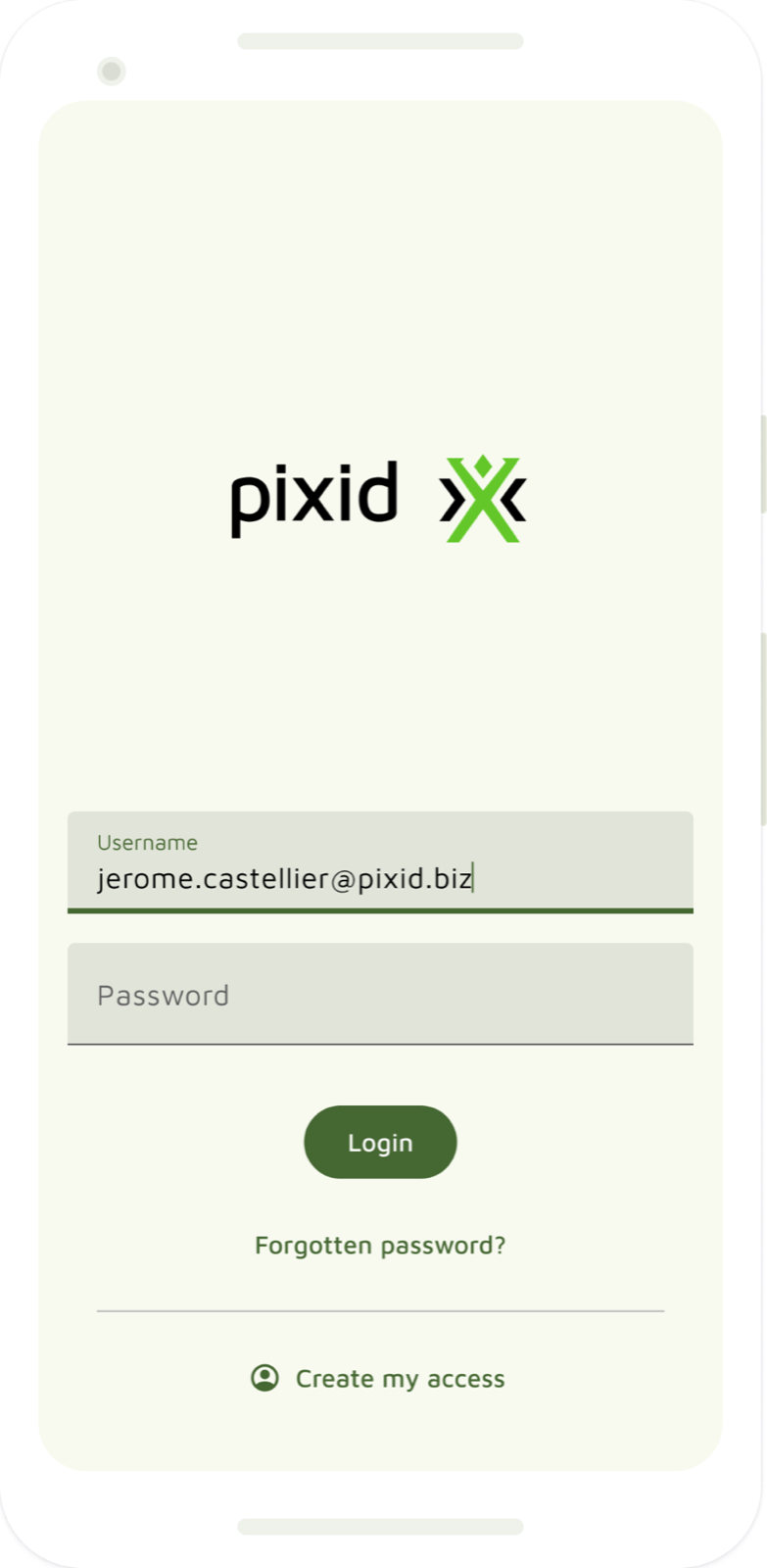
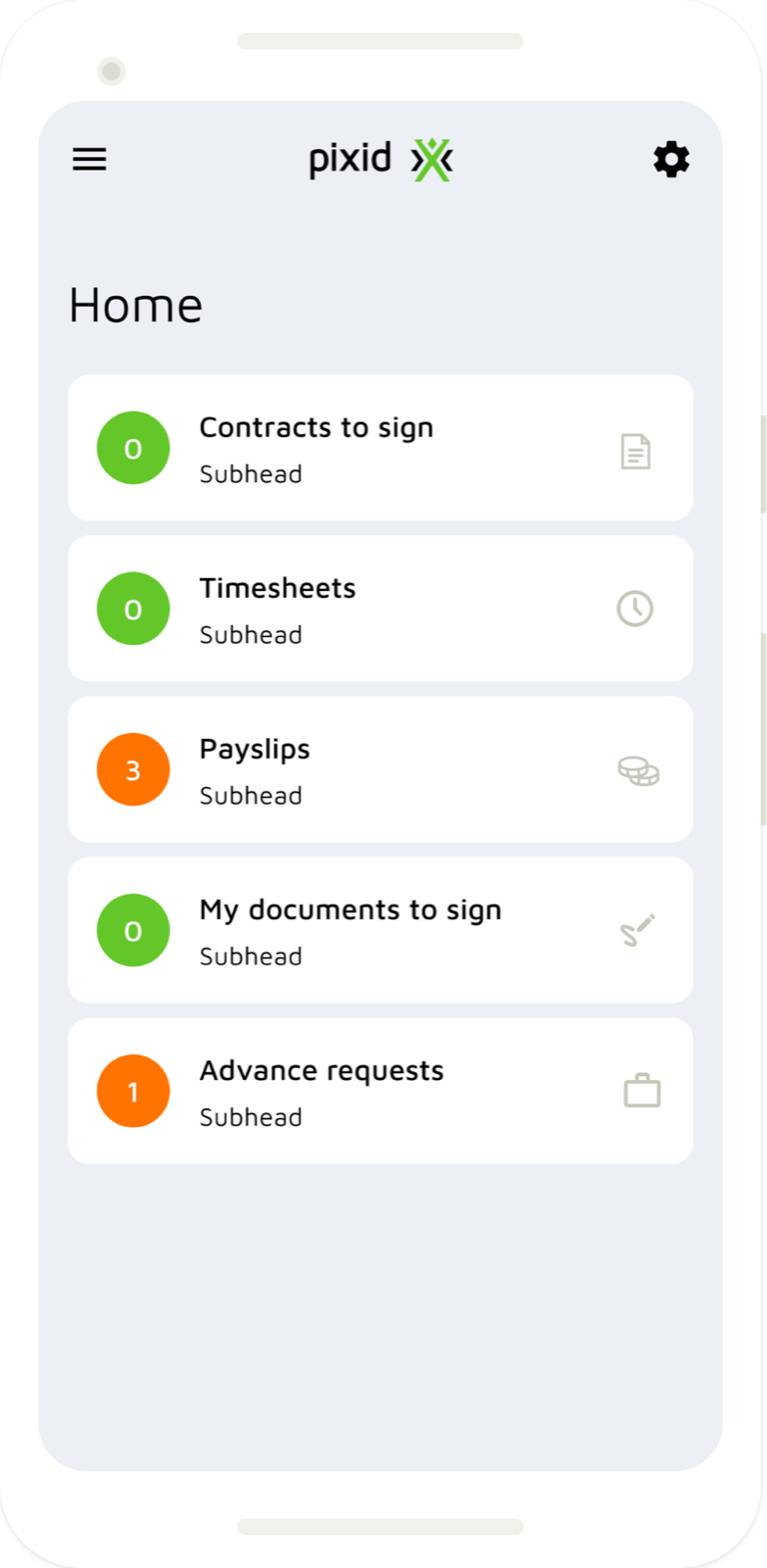
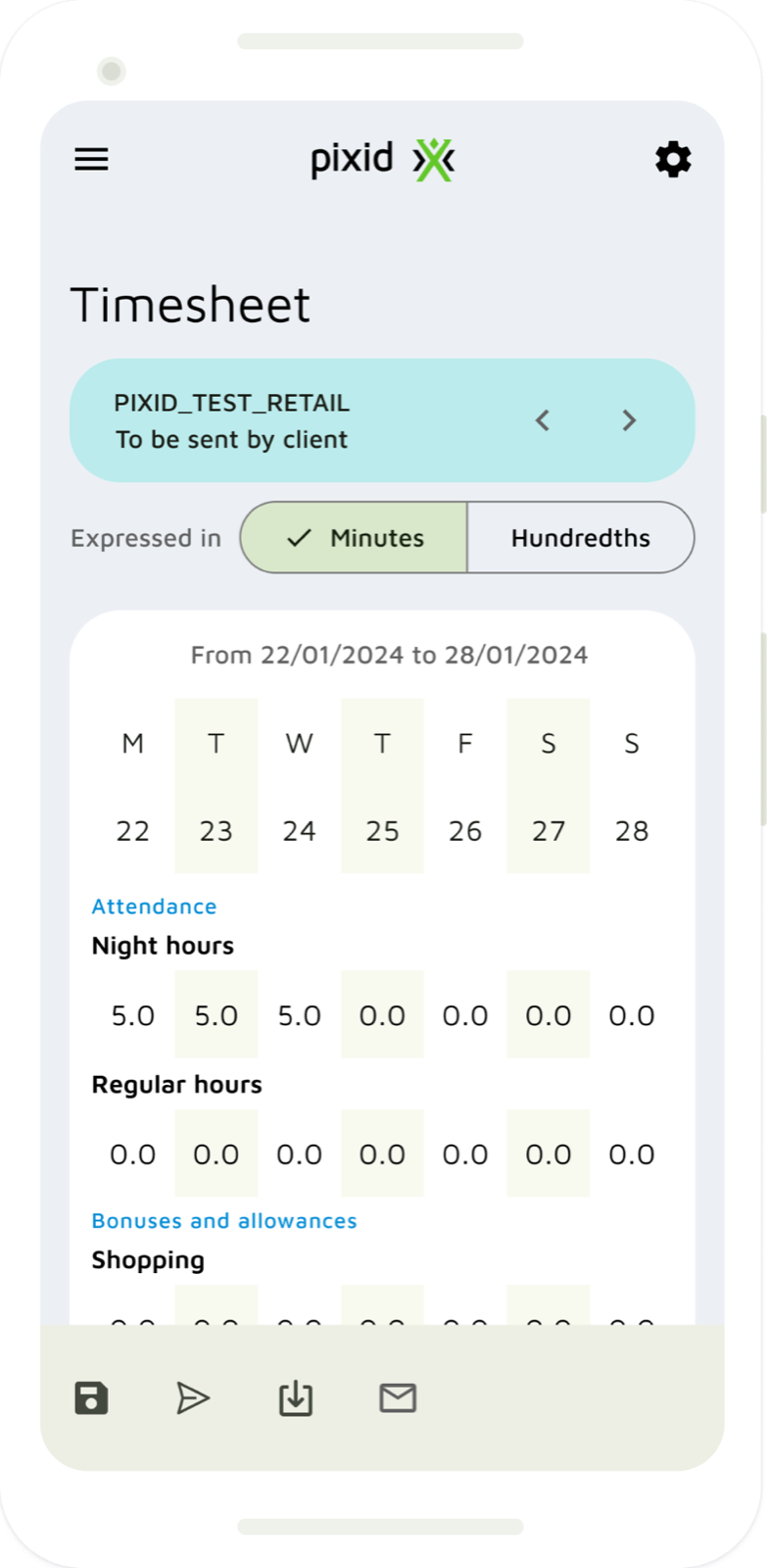
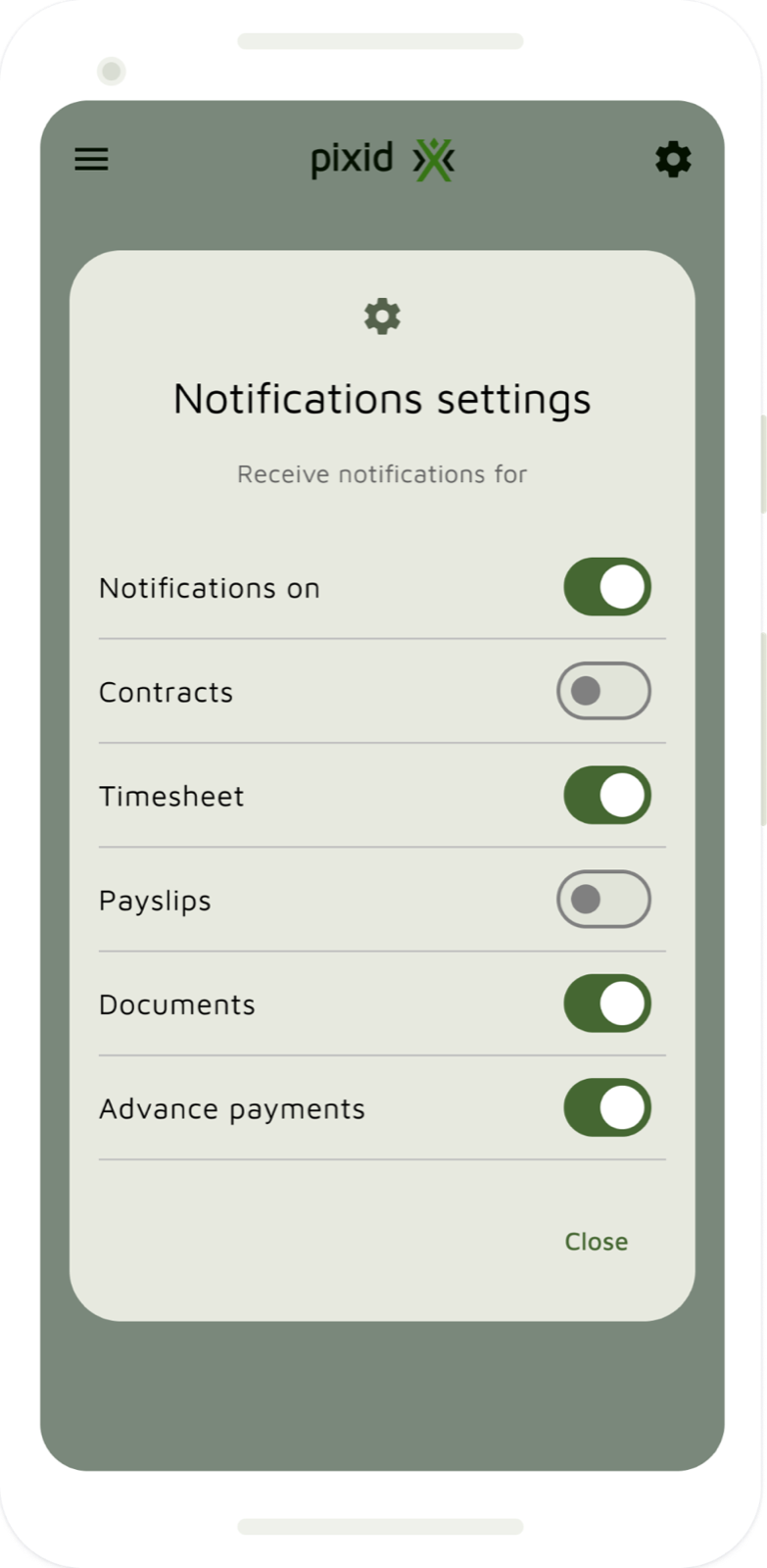
With the budget left after the inception, we redesigned the Pixid mobile app on the more up-to-date Material Design 3 guidelines and components (see the screens at the top of this page).
# Challenges
| Challenge | How we overcame it | What we would do differently |
|---|---|---|
| Recruiting users for Discovery and Framing took a long time, leaving the team without enough material to continue. | We agreed on side activities that still brought value without depending on user validation, and used the idle time for them. We also paused the project occasionally. | Define personas and focus area before the engagement (scoping or iteration 0), so recruitment can be planned with enough notice. |
| Workers couldn’t be interviewed: they aren’t direct customers, and are managed by another persona (suppliers). | We defined the research to run with them and made it the main recommendation — their opinion defines the real value of the solution. | — |
| No design role on the client’s side — needed given how complex the platform has become. | We handed over all material with follow-up ideas, and suggested freelancers if an in-house role was hard to justify. | Investigate team composition, roles and responsibilities during scoping — especially why some roles of a balanced team are missing. |
| Discovery surfaced no major issues. | Well, that’s also a good thing for the client :D We picked areas where we could add just enough value and confirmed them with our main stakeholders. | Nothing really, c’est la vie ;-) |
# Recommendations
How to move forward
- First validate the workers’ availability check-in with users
- Only after validation and adjustments, start the MVP — beginning with the availability check-in
In general
- Validate every new concept with users before building it — the core idea first, without too much upfront work
- Hire UI/UX role(s) to keep a product this big consistent and close to users’ needs
- Run a UX review of the mobile experience
- Set a regular feedback loop with users, ideally every 2 weeks
- Build a user pool per persona (client, supplier, worker) to recruit quickly
# Outcomes
Key areas for improvement
Critical improvement areas pinpointed and documented, validated by stakeholder and user feedback.
Validated value of proposed solutions
High approval in user testing sessions and stakeholder interviews, confirming the effectiveness of the proposed solutions.
Component library & brand alignment
More consistent design through an optimized component library, better aligned with brand guidelines as measured by design audits.
Backlog for development
A backlog covering at least six months of work, prioritized and validated by product and engineering teams.