Side projects / 03
Jump Starter: open, hide or quit a whole set of apps in one go
- Context
- Personal side project
- Type
- Native macOS menu bar app
- Role
- Concept, design & build, with AI
- Requires
- macOS 15 or later, Apple silicon or Intel
# The problem
Every kind of work comes with its own set of apps.
Design means Figma and a browser with the right profile and tabs. Writing means a text editor and notes. A day of meetings means mail, calendar and chat. Switching between them meant opening each app by hand, then hiding or quitting them again to focus on the next thing, many times a day.
# The idea
Group apps once, then treat each group as a single thing: open it, hide it or quit it, from the menu bar or with a shortcut.
01Group
Put together the apps, browser profiles and URLs that belong to one kind of work.
02Launch
Open the whole group from the menu bar, or with ⌘1, ⌘2 and so on.
03Switch
Hide or quit the group in one go when it’s time for something else.
# What it does
From the menu bar
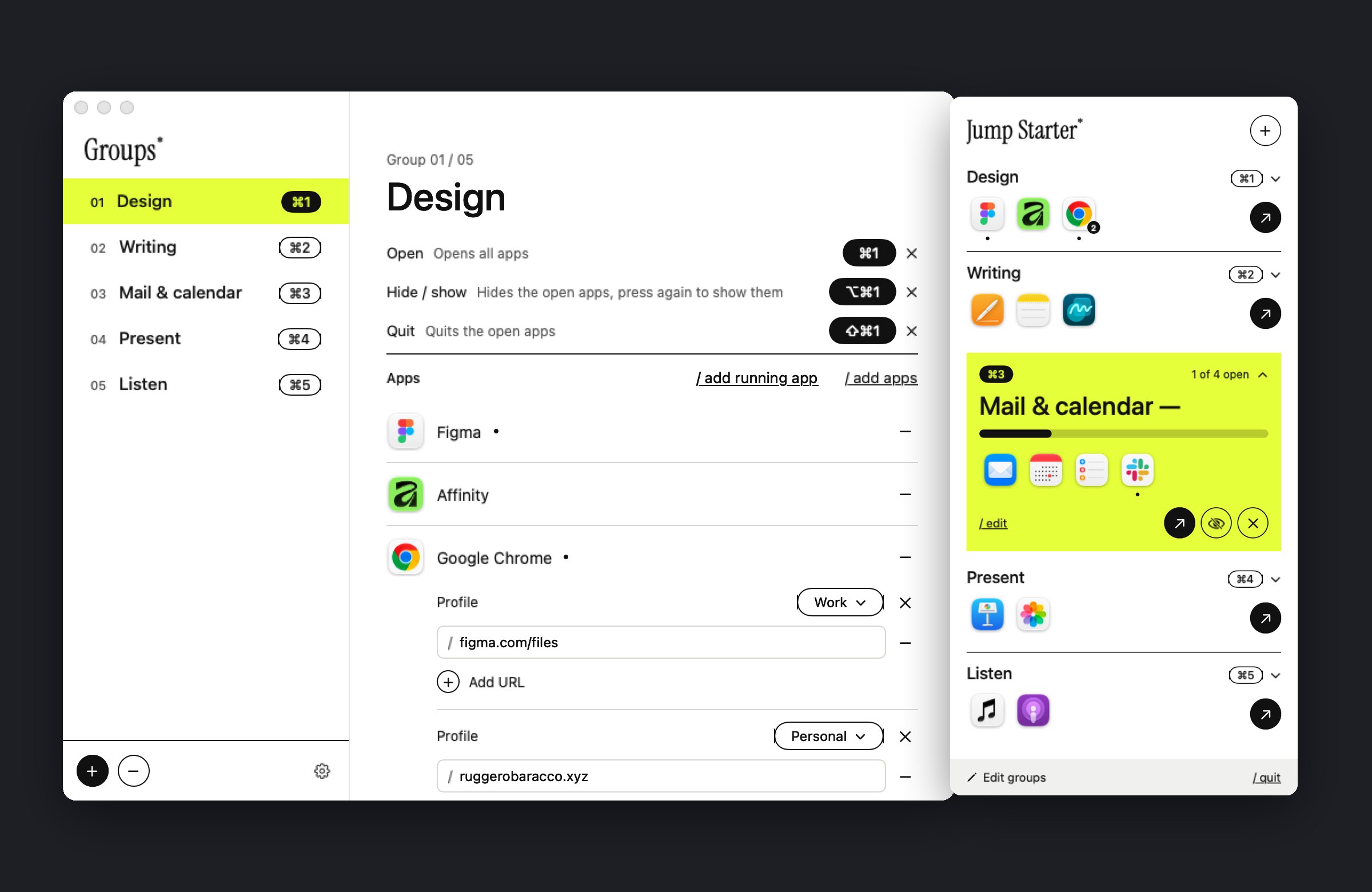
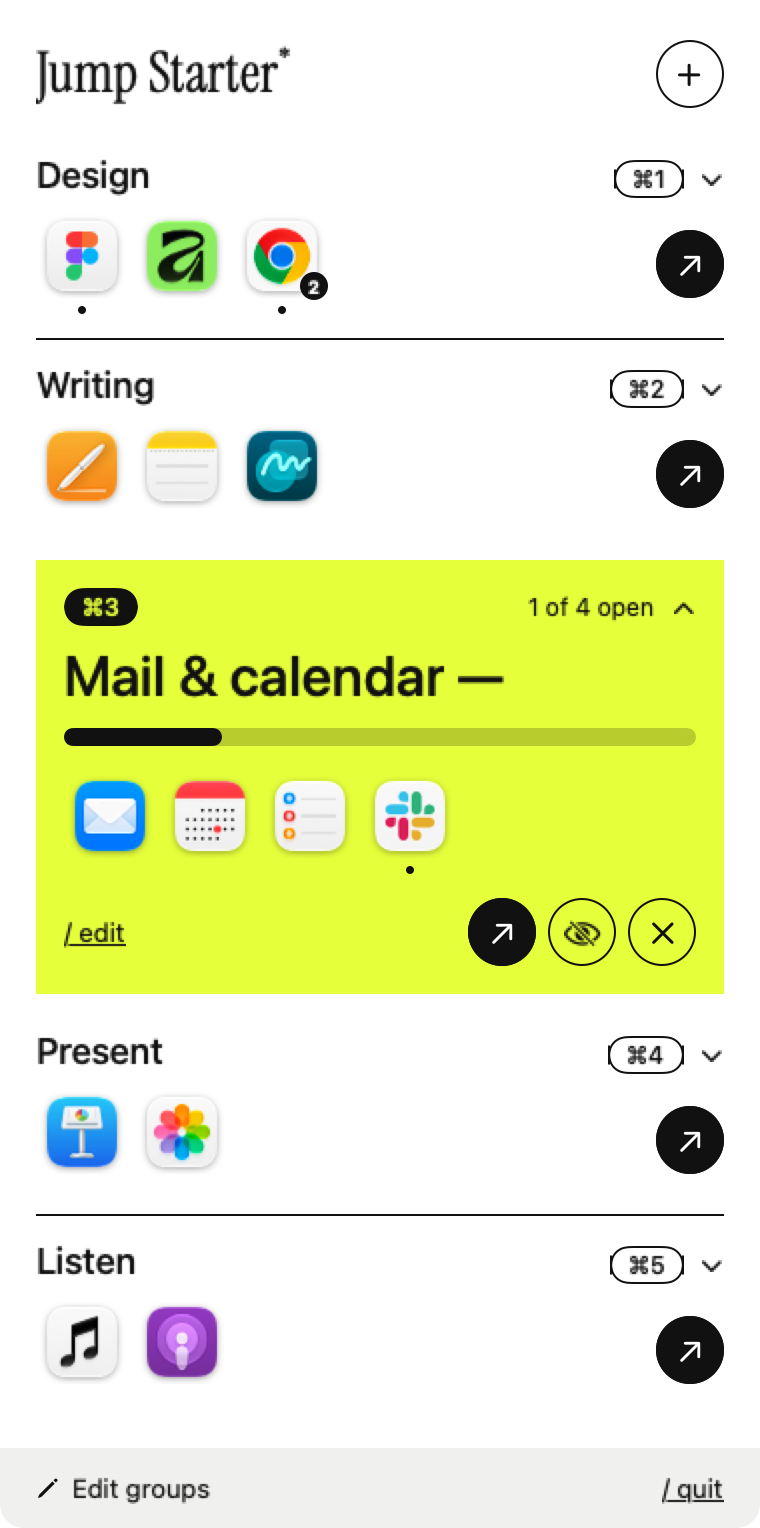
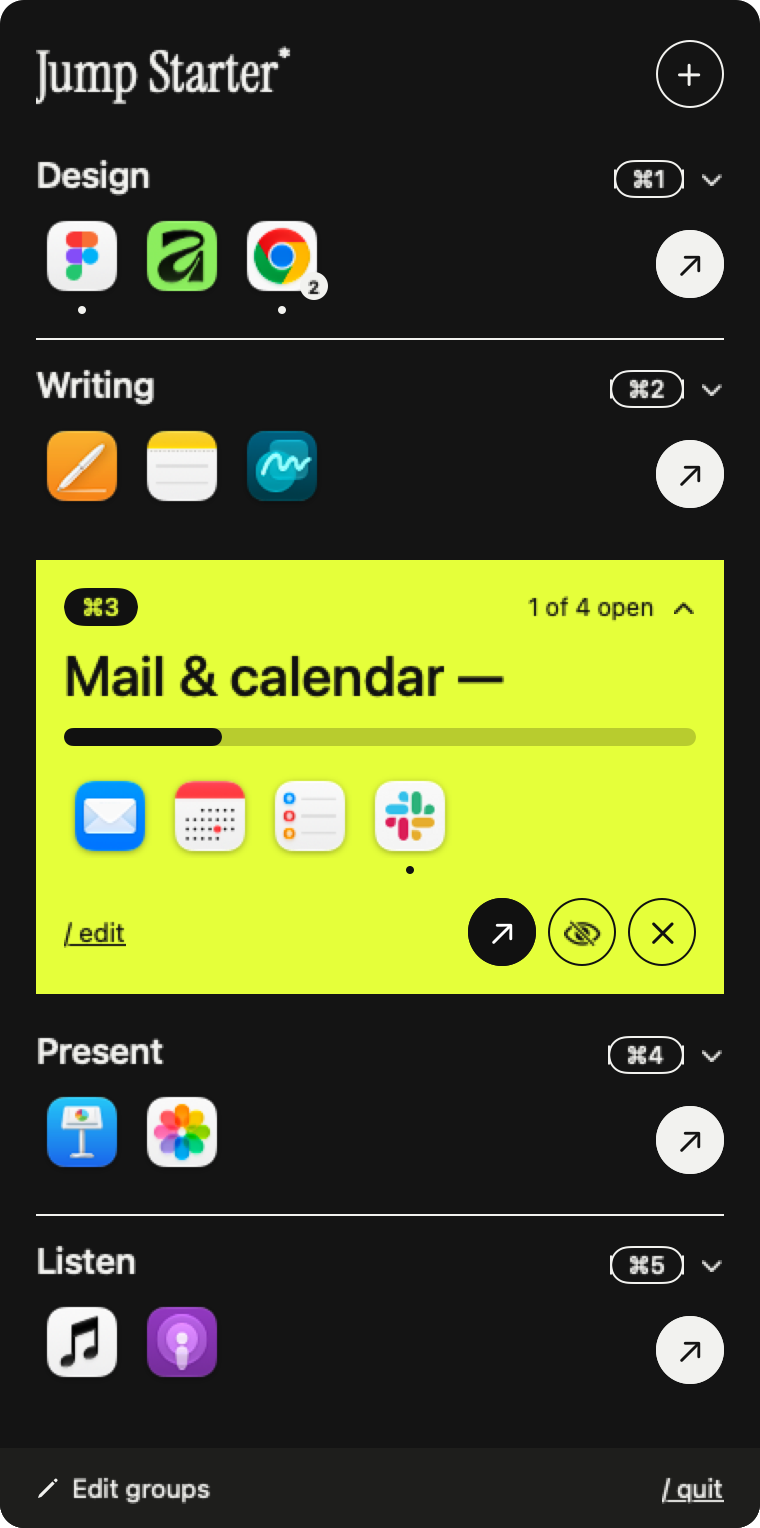
A small panel lists every group with its apps; a dot marks the ones already running, and a small badge shows when a browser opens with more than one profile. Expanding a group shows how many of its apps are open and gives one-click buttons to open, hide or quit them all, plus a shortcut to edit it.
Edit groups
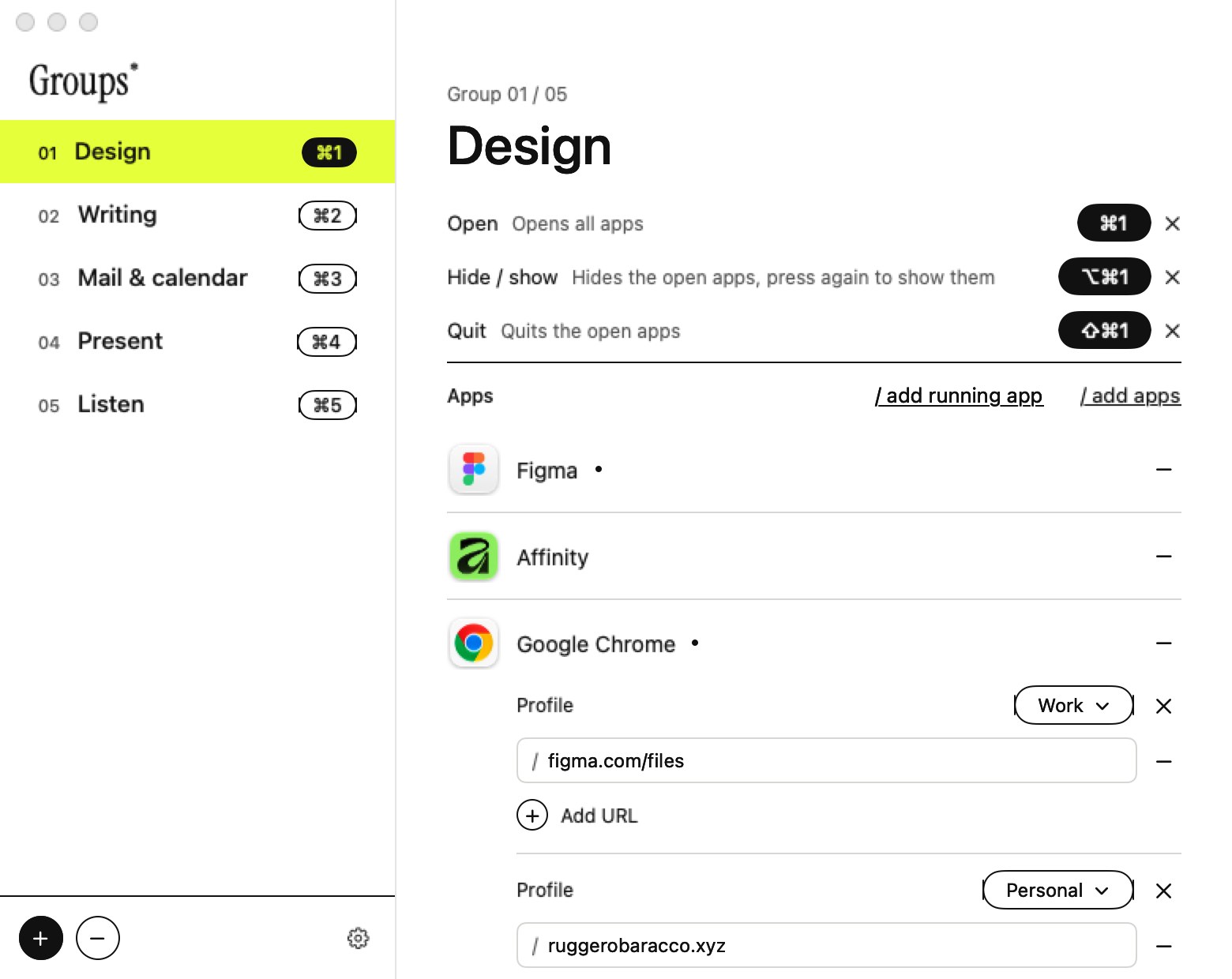
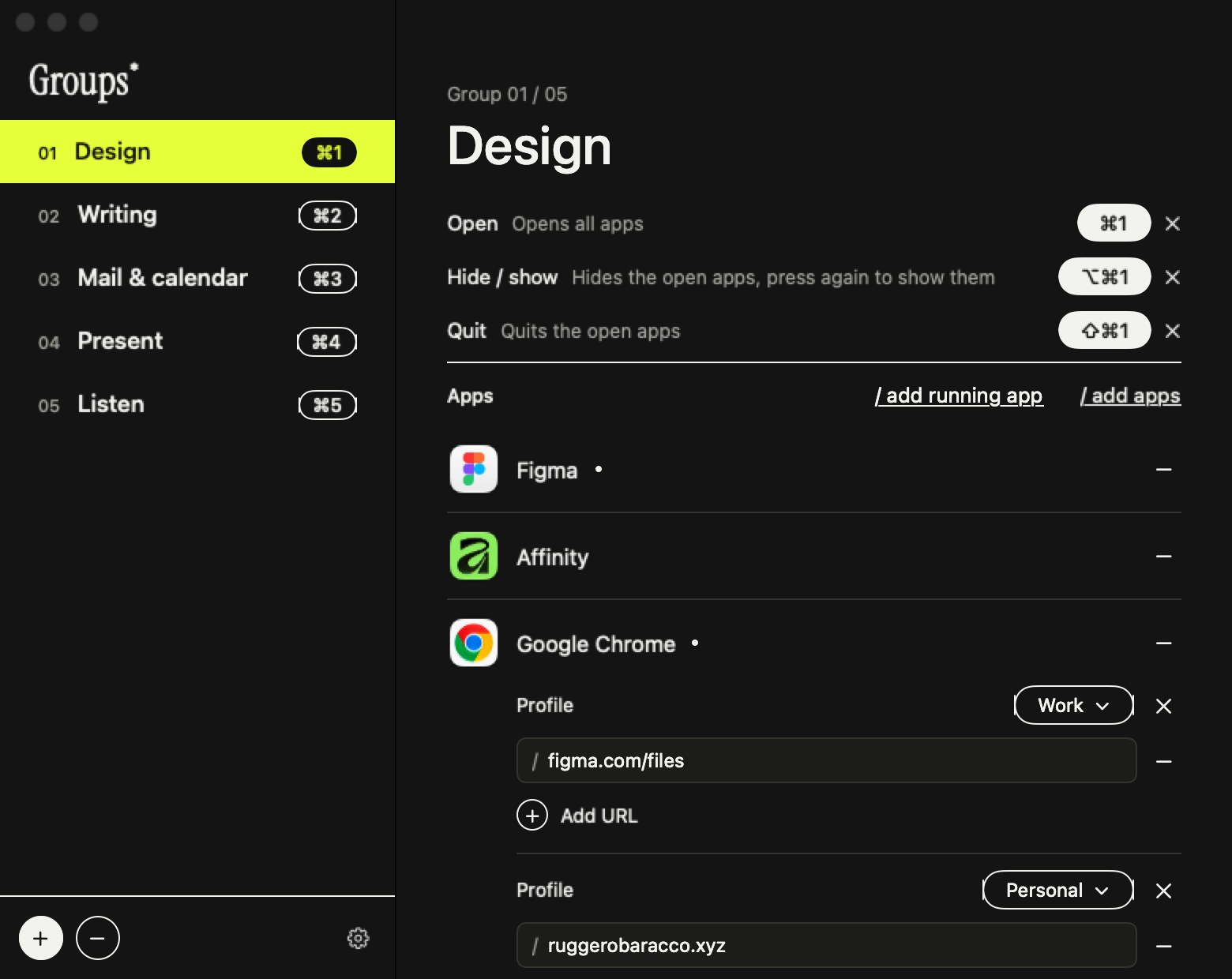
- Three shortcuts per group, all editable: open (⌘1), hide / show (⌥⌘1) and quit (⇧⌘1)
- Add apps from the Applications folder, or pick from the apps that are running right now
- Browsers can open several profiles at once (Chrome, Edge, Brave or Firefox), each with its own list of URLs, for example a work profile with Figma and a personal one with your own site. Optionally only when the browser isn’t already running
- Launch at login, so the groups are ready as soon as the Mac starts
Designed to stay out of the way
An editorial look in black, white and grey, with a single neon yellow that only marks what is selected or expanded. Headings are set in a serif, everything else stays plain, and the whole app follows the system’s light or dark mode.
# How it was built
A native SwiftUI and AppKit app built with AI, the same way I design with AI: start from my own daily friction, get a working version quickly, then refine it by using it every day.
Native and small
A 1.2 MB universal app for Apple silicon and Intel, living only in the menu bar.
Details that matter
A custom menu bar panel instead of the standard one, so it opens crisp and sized to its content, browser profiles read only after you allow access, and several profiles opened one after another so they don’t race the browser’s start-up.
Built lean
Made without Xcode, using only Apple’s command line tools; even the app and menu bar icons are drawn in code.
# Download & install
- Download the disk image, open it and drag Jump Starter onto the Applications folder
- Open it from Applications; its icon, a jumper-cable clamp, appears in the menu bar
- The app isn’t notarised by Apple, so the first time macOS may say it “can’t verify” it: open System Settings → Privacy & Security and click “Open Anyway”. You only need to do this once
Requires macOS 15 (Sequoia) or later, on Apple silicon or Intel.